

Anyma - Eternity (Drop Remake)
Description
The Anyma - Eternity (Drop Remake) by Loucas Georgiou is a well-crafted project template for music producers interested in modern melodic techno.
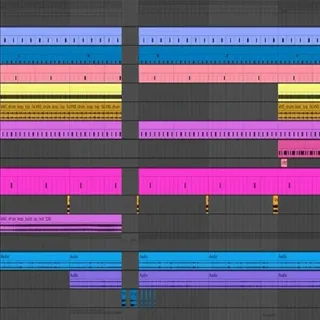
This template breaks down the track Eternity by Anyma and Chris Avantgarde, providing insights into elements like transitions, drums, beatmaking, sub basses, piano, Reese bass, FX, leads, song structure, and vocals.
This template is designed for use in Ableton Live and includes:
15 Backup ALS Files: Various versions of the project file to explore different stages of production and make comparisons. 2 Presets: Custom presets that capture the track's sound design, offering a solid base for creating similar sounds. Audio Samples: High-quality audio samples from the track, giving you a range of sounds to work with and manipulate. Anyma - Eternity (Drop Remake).als: The main project file with all elements and arrangements, providing a complete view of the track's construction.
Video Preview

Tips
- Layering Drums for Impact: To achieve a fuller drum sound, try layering different drum samples. For instance, combine a punchy kick with a deeper sub-kick to create a more impactful low end. Experiment with layering claps and snares to add more texture to your drum patterns.
- Utilize Automation for Transitions: Use automation to create smooth transitions between different sections of the track. Automate parameters like filter cutoff, reverb, and delay to build tension and release. This technique can make your drops more impactful and dynamic.
- Enhance Basslines with Modulation: The Reese bass in the template can be enhanced by adding modulation effects. Experiment with subtle pitch modulation or filter modulation to add movement and complexity to your basslines. This can make your low-end more interesting and engaging.
- Creative Use of FX: The template includes various FX elements that can be used creatively to enhance your track. Try reversing some of the FX samples or layering them with other sounds to create unique transitions and fills. This can add a professional touch to your production.
- Refine the Mix with EQ and Compression: Pay attention to the EQ and compression settings used in the template. Use these as a reference to refine your own mix. Ensure that each element has its own space in the frequency spectrum and that the overall mix is balanced. This will help your track sound polished and professional.



![Melodic Techno[EP7] by Van Múrten](https://images.soundshockaudio.com/products/melodic-technoep7/thumb.webp)