Blocks
Key Features
- Grid-based modular architecture where audio flows downward through channels, eliminating traditional cable patching
- Seven channels with seven module slots each for building layered, complex synthesis patches
- Five oscillator types (saw, sine, square, triangle, noise) with drive module offering soft/hard clipping, wave folding, bitcrushing, and downsampling
- Built-in effects including filter, reverb, delay, chorus, phaser, and flanger that can stretch across multiple channels
- Drag-and-drop modulation routing with LFOs and ADSR envelopes managed from a dedicated modulator panel
- Tab system above the grid to control which column activates per note, enabling creative voice layering
- Open-source codebase on GitHub (GPL-3.0) with community-driven development and selectable light/dark themes
Description
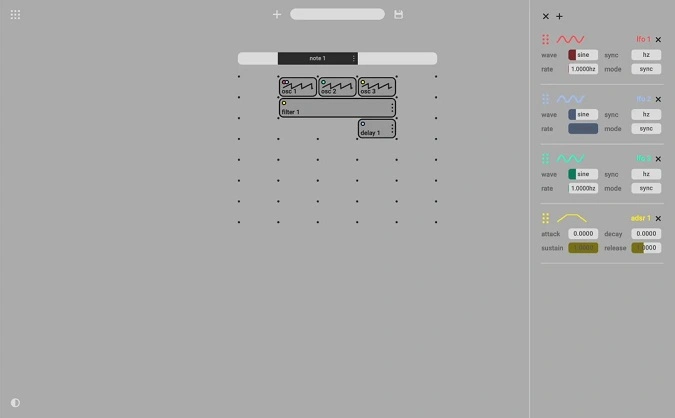
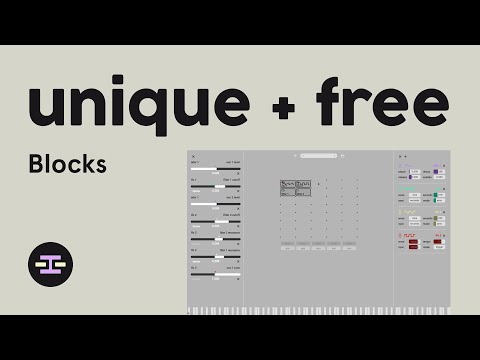
Blocks by Soonth is a grid-based modular synthesizer that strips away the tangled cables and complex routing of traditional modular systems. Instead of patching virtual wires between modules, you populate a simple grid with functional blocks and let audio flow downward through the signal chain.
The grid layout holds seven channels with seven module slots each, giving you room to build patches of real depth. Sound sources include saw, sine, square, triangle, and noise oscillators, while the effects section covers filters, reverb, delay, chorus, phaser, flanger, and a drive module with soft and hard clipping, linear and sine wave folding, bitcrushing, and downsampling.
Modulation is handled through drag-and-drop assignment of LFOs and ADSR envelopes from a dedicated panel on the right side of the interface. A tab system above the grid controls which column activates per note, opening up creative layering possibilities.
The plugin launched as an early beta in 2021 and has since been made open-source on GitHub, with community contributions improving stability and adding features like selectable light and dark themes. Reviews consistently describe it as an approachable entry point for learning modular synthesis concepts without the steep learning curve of environments like VCV Rack.
Blocks is available as a VST3 and AU plugin plus a standalone application for macOS and Windows, with Linux support planned. The source code is built on the JUCE framework and licensed under GPL-3.0.
Video Preview

Tips
- Start with a simple patch by adding a single oscillator and gradually introduce modulators and effects.
- Use the drag-and-drop feature to easily add modulation to different parameters.
- Experiment with different oscillator shapes to find the sound that best fits your project.
- Utilize the light and dark themes to reduce eye strain during long sessions.
- Take advantage of the standalone version for quick sound design without opening a DAW.
- Provide feedback to the developer to help improve the plugin's stability and functionality.
Frequently Asked Questions
How does Blocks compare to VCV Rack?
Blocks takes a much simpler approach than VCV Rack by replacing virtual cables with a grid-based system where audio flows downward through blocks. It has fewer modules and less depth than VCV Rack, but reviewers consistently highlight it as a more approachable starting point for learning modular synthesis concepts.
Is Blocks stable enough for production use?
Blocks started as an early beta in 2021 and has received multiple updates since, including a major UI overhaul in 2023 and open-sourcing on GitHub. Earlier versions had occasional crashes in standalone mode, but stability has improved through community contributions. It is best suited for sound design and experimentation rather than mission-critical live performance.
Can I modify or contribute to the Blocks source code?
Yes. Blocks was made open-source under the GPL-3.0 license and is hosted on GitHub at github.com/dan-german/blocks. The project is built with C++ and the JUCE framework, and the developer maintains a Discord community for contributors.
Does Blocks include any presets?
Yes, Blocks ships with a selection of presets to help you get started. You can also save and share your own patches, making it easy to build a personal preset library as you experiment with different grid configurations.