Glas
Key Features
- Spectral decomposition engine that breaks audio into individual frequencies and rebuilds them with chaos-driven movement and texture
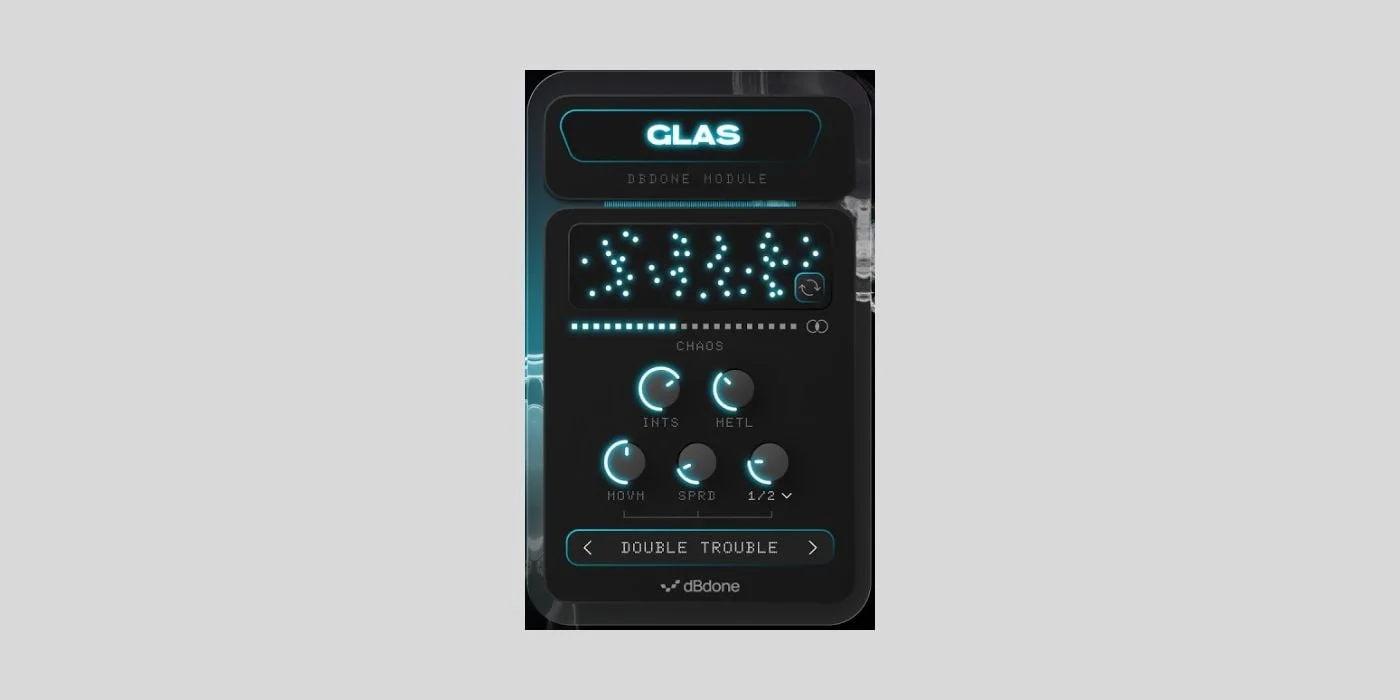
- Five intuitive sound-shaping controls: Intensity, Metallic, Movement, Spread, and Speed, each targeting a distinct aspect of the spectral processing
- Shuffle function that regenerates all parameters simultaneously, producing unique sonic variations from the same source material with every click
- Central Chaos slider functioning as a wet/dry mix control for blending processed and original signals from subtle shimmer to full spectral destruction
- Real-time spectra display providing visual feedback of the frequency decomposition and reconstruction process
- Factory presets included as creative starting points for electronic textures, metallic atmospheres, and experimental sound design
- Available in VST3, AU, and AAX formats for both macOS and Windows with no paid upgrade required
Description
Glas by dBdone is a spectral chaos engine that deconstructs audio into individual frequency components and reassembles them with randomized movement and texture. The result is evolving, unpredictable timbres that transform static source material into something entirely different.
The plugin works by splitting incoming audio into frequency bands, then applying chaos-driven reprocessing that introduces shimmer, metallic resonance, and spatial movement. Five primary controls shape the effect: Intensity governs overall processing depth, Metallic adds bell-like harmonic content, Movement introduces time-varying modulation, Spread adjusts stereo width, and Speed sets the rate of spectral change.
A dedicated Shuffle function regenerates all internal parameters at once, producing a completely new variation from the same source audio every time it is triggered. This makes Glas particularly effective as a sound design starting point, where each shuffle can spark a new creative direction.
Factory presets are included alongside a central Chaos slider that acts as a wet/dry mix control, allowing anything from subtle spectral shimmer to full frequency destruction. The real-time spectra display provides visual feedback of the processing.
Glas is available as a VST3, AU, and AAX plugin for macOS and Windows, distributed for free through the dBdone website with newsletter registration required.
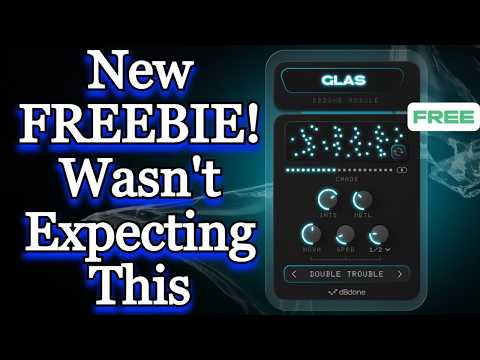
Video Preview

Frequently Asked Questions
What kind of sounds does Glas work best on?
Glas excels at transforming sustained, harmonically rich sources like pads, synth chords, electric pianos, and vocals. These give the spectral engine enough frequency content to deconstruct and rebuild into complex, evolving textures. Percussive or very short sounds produce less dramatic results since the spectral processing needs sustained material to work with.
How does the Shuffle function work?
The Shuffle button randomizes all internal processing parameters at once, creating a completely new sonic result from the same input audio. Each shuffle produces a unique variation, making it useful as a sound design tool where you can quickly audition dozens of different textures without manually adjusting individual controls.
How do I download Glas?
Glas is distributed through the dBdone website at dbdone.com/glas. You need to create a free dBdone account and subscribe to their newsletter to unlock the download. The plugin itself is completely free with no paid tier or upgrade path.
Does Glas use a lot of CPU?
Spectral processing is inherently more CPU-intensive than standard effects like EQ or compression, since it analyzes and manipulates individual frequency bins in real-time. Users in YouTube demos report that Glas runs smoothly in typical sessions, but stacking multiple instances on every track may increase CPU load noticeably.