
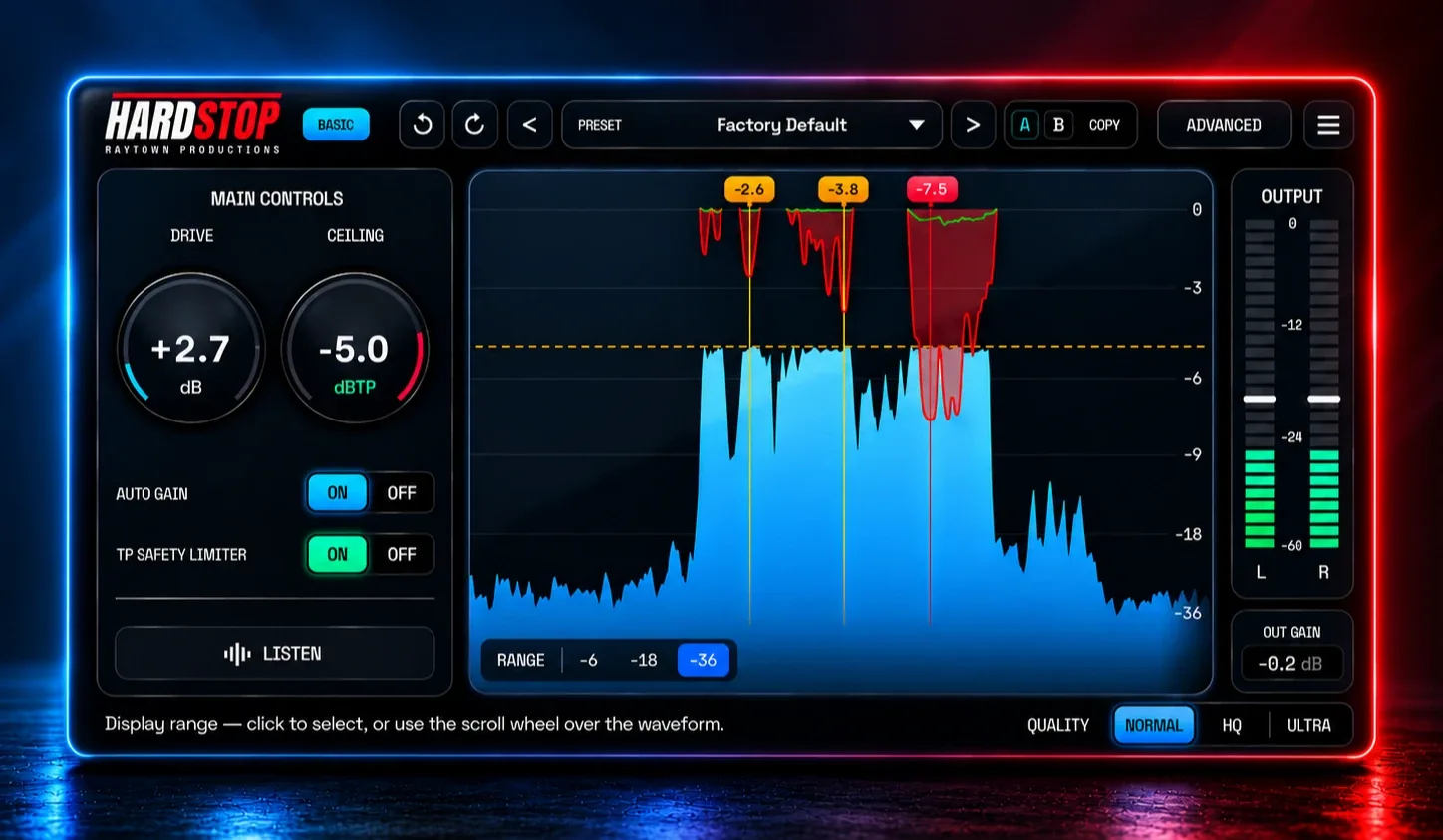
HardStop
Key Features
- Drive and Ceiling controls handle the core hard-clipping workflow while retaining a separately set output boundary.
- Auto gain matching helps compare clipping settings without judging mainly by the louder signal.
- The built-in 4x-oversampled true-peak limiter and final peak guard address intersample peaks after clipping.
- Normal, HQ, and Ultra quality tiers provide a choice between zero-latency operation and progressively stronger anti-aliasing treatment.
- Waveform visualization distinguishes clipper gain reduction from true-peak limiting and flags the heaviest hits.
- Listen monitoring auditions what the clipper removes instead of relying only on the processed output.
- User presets and A/B snapshots support repeatable comparisons across drums, buses, and mix-stage processing.
Description
HardStop is a hard clipper and true-peak limiter from Raytown Productions for increasing apparent loudness while keeping an eye on the peaks being removed. The Basic edition combines Drive and Ceiling controls with a waveform display, gain-reduction readout, auto gain matching, and a true-peak safety limiter.
The Basic tier includes Normal, HQ, and Ultra quality modes. Normal can run with zero latency when true-peak protection is off, while the two higher settings are intended to reduce aliasing when clipping is pushed harder.
Its display separates clipper reduction from true-peak limiting and marks the strongest hits, so it is easier to see what each stage is doing. The Listen function auditions material removed by the clipper, which makes level-matched decisions on drums, buses, and mix stages more practical.
HardStop Basic is available for Windows and macOS in VST3, AU, and AAX formats, with 64-bit operation and a 4 GB minimum RAM requirement. Raytown Productions describes Basic as free forever; the developer page uses an email-gated download flow and keeps the enhanced character controls, variable stereo link, parallel mix, and LUFS metering in the paid Pro edition.
Frequently Asked Questions
What does HardStop Basic include?
Basic includes the Drive and Ceiling hard clipper, Normal, HQ, and Ultra quality modes, a true-peak safety limiter, auto gain, waveform and gain-reduction displays, Listen monitoring, and user presets with A/B snapshots. Raytown says Basic uses the same clipping engine, anti-aliasing, and true-peak safety as Pro.
What is the True-Peak Safety Limiter for?
The developer describes it as a 4x-oversampled limiter with a final peak guard for catching intersample peaks that can occur on playback. It operates after the clipping stage so you can set a ceiling while checking the additional limiting separately.
How can I tell whether the clipper or limiter is doing the work?
HardStop's waveform display uses red for clipper gain reduction and green for the true-peak limiter, with flags for the hardest hits. The Listen control lets you audition material removed by the clipper; Pro adds an equivalent limiter-listen function.
Which controls are reserved for HardStop Pro?
Pro adds Shape, Density, and Tone controls, Adaptive clipping with Reactivity, true-peak lookahead and release adjustment, variable stereo link, parallel Mix, LUFS metering, and a full factory preset library. Basic keeps the core clipping engine and fixed linked stereo behavior.


