Tips
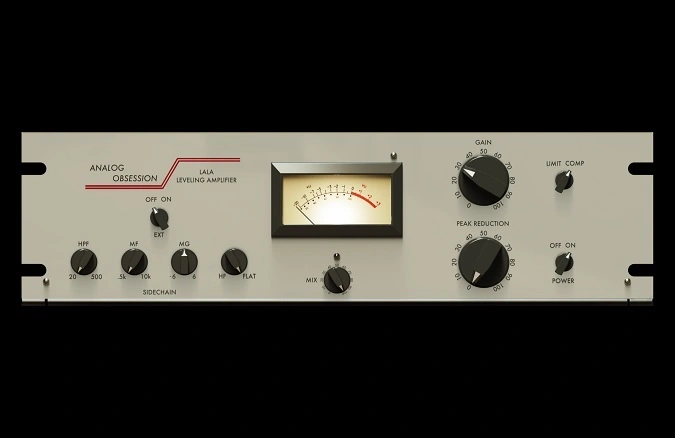
- Use the PEAK REDUCTION knob to control the amount of compression applied to your signal.
- Adjust the GAIN knob to compensate for any loss in signal level due to compression.
- Engage the LIMIT button for more aggressive limiting, especially useful on dynamic vocal tracks.
- Utilize the external sidechain feature for advanced mixing techniques, such as ducking effects.
- Apply the high-pass filter to prevent the compressor from reacting too strongly to low-frequency content.
- Experiment with the mid and high-frequency sensitivity controls to fine-tune the compressor's response to different elements in your mix.
- Use the MIX knob for parallel compression, blending the compressed signal with the original to maintain dynamics while adding warmth.
- Resize the interface to fit your screen resolution and workflow preferences.
- Enable oversampling for higher audio quality, especially when working with high-resolution audio files.