Tips
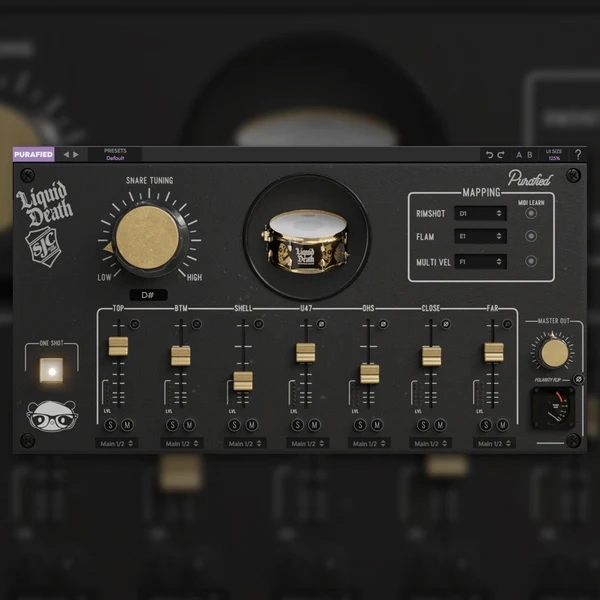
- Experiment with adjusting the levels of each microphone to find the perfect balance for your mix.
- Use the pitch adjustment feature to match the snare sound to the key of your track.
- Route each microphone to different channels in your DAW for individual processing with third-party plugins.
- Utilize the polarity flip switch to correct any phase issues that may arise.
- Take advantage of the one-shot playback button for triggering single snare hits.
- Map different articulations to various MIDI notes to add more expression to your drum programming.
- Use the presets to quickly find a starting point for your snare sound and then tweak from there.
- Resize the GUI to fit your screen and workflow preferences.
- Make use of the undo/redo functionality to experiment with different settings without losing your previous adjustments.