Modern Techhouse Template
Audio Preview
Description
The Modern Techhouse Template by Techhouse Market is a project file designed to give music producers a detailed look into professional Tech House production.
This template works with both Logic Pro X and FL Studio 21, making it accessible to users of these popular DAWs.
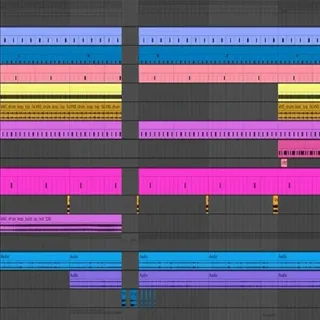
The template includes: Arrangement: A fully arranged Tech House track that shows the typical structure of the genre, including intros, drops, breaks, and outros.
Sound Selection: Sounds and samples that are characteristic of Tech House music, including groovy drum patterns, catchy vocal hooks, and bubbling basslines.
Layering: Detailed layering of sounds to create a rich and full mix, showing how to combine different elements effectively.
VST Usage: Use of both stock VSTs and third-party plugins such as Serum v1.363, Xfer OTT, Dada Life Endless Smile, and Kickstart 2.
Users can open the project and replace these plugins with their own if needed.
Mixing and Mastering: Insights into the mixing and mastering process, providing a polished final product that meets industry standards.
All samples and presets used in the template are sourced from Techhouse Market's own packs, showcasing their quality and versatility.
Tips
- Customizing the Drum Patterns: Experiment with the provided drum patterns by adding or removing elements to create your unique groove. Pay attention to the swing settings and velocity variations to maintain the genre's characteristic feel.
- Replacing Third-Party Plugins: If you do not own the third-party plugins used in the template (Serum, Xfer OTT, Dada Life Endless Smile, Kickstart 2), consider replacing them with similar stock plugins or other VSTs you own. For example, use your DAW's built-in compressor and reverb to replace OTT and Endless Smile.
- Analyzing the Arrangement: Study the arrangement to understand the flow of a Tech House track. Notice how different sections are connected and where energy levels rise and fall. Use this knowledge to structure your own tracks.
- Tweaking the Presets: The presets used in the template are a great starting point, but don't hesitate to tweak them to fit your style. Adjust parameters such as filter cutoff, envelope settings, and effects to create new sounds.
- Layering Techniques: Pay close attention to how different sounds are layered to create depth and fullness. Try adding your own layers to the existing ones, such as additional percussion or background textures, to enhance the overall sound.