Modern Techhouse Template
Audio Preview
Key Features
- Complete FL Studio 21 (.flp) project with a professionally arranged tech house track — intro, drop, breakdown, and outro
- Genre-characteristic sounds: groovy drum patterns, bubbling basslines, catchy vocal hooks, and layered percussive elements
- Third-party plugins used: Serum v1.363, Xfer OTT, Dada Life Endless Smile, and Kickstart 2 — all replaceable with your own
- All samples sourced from Tech House Market's royalty-free packs, ready for commercial use
- Detailed sound layering demonstrates how to combine elements effectively for a full, polished mix
- Mixing and mastering chain included so you can study the signal flow and processing decisions used to reach a release-ready sound
Description
The Modern Techhouse Template by Tech House Market is a fully arranged FL Studio 21 project that breaks down professional tech house production from arrangement to mixdown.
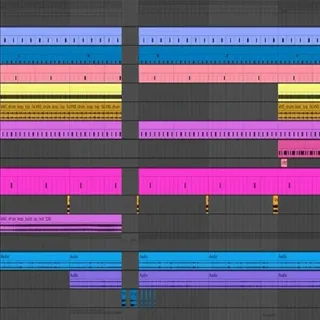
The template includes a complete track structure — intro, drop, breakdown, and outro — so you can study exactly how each section is built and how transitions are handled between them.
All samples and presets come from Tech House Market's royalty-free packs, covering groovy drum patterns, bubbling basslines, and the catchy vocal hooks that define the genre.
Detailed sound layering shows how to combine different elements into a rich, full mix, while the mixing and mastering chain provides an end-to-end look at how a polished, industry-ready result is achieved.
Third-party plugins used include Serum v1.363, Xfer OTT, Dada Life Endless Smile, and Kickstart 2. If you don't own these, you can replace each with your own preferred tools — the project file is fully open for customisation.
Video Preview

Tips
- Customizing the Drum Patterns: Experiment with the provided drum patterns by adding or removing elements to create your unique groove. Pay attention to the swing settings and velocity variations to maintain the genre's characteristic feel.
- Replacing Third-Party Plugins: If you do not own the third-party plugins used in the template (Serum, Xfer OTT, Dada Life Endless Smile, Kickstart 2), consider replacing them with similar stock plugins or other VSTs you own. For example, use your DAW's built-in compressor and reverb to replace OTT and Endless Smile.
- Analyzing the Arrangement: Study the arrangement to understand the flow of a Tech House track. Notice how different sections are connected and where energy levels rise and fall. Use this knowledge to structure your own tracks.
- Tweaking the Presets: The presets used in the template are a great starting point, but don't hesitate to tweak them to fit your style. Adjust parameters such as filter cutoff, envelope settings, and effects to create new sounds.
- Layering Techniques: Pay close attention to how different sounds are layered to create depth and fullness. Try adding your own layers to the existing ones, such as additional percussion or background textures, to enhance the overall sound.
Frequently Asked Questions
Which version of FL Studio do I need?
This template was built in FL Studio 21. Opening it in an earlier version may cause compatibility issues with some effects and plugin states. FL Studio 20 should work for most elements, but FL Studio 21 is recommended for the best results.
What third-party plugins does this template require?
The template uses Serum v1.363, Xfer OTT, Dada Life Endless Smile, and Kickstart 2. If you don't own these, FL Studio will flag the missing plugins on load — you can replace each with your own preferred tools without affecting the rest of the project.
Can I release a track based on this template commercially?
The included samples from Tech House Market are royalty-free and cleared for commercial use. However, you should replace or significantly rework the arrangement and sounds before releasing, as templates are distributed widely. Check Tech House Market's specific license terms for details.
Does this work in Ableton Live or Logic Pro?
The .flp project file is FL Studio-only and cannot be opened in Ableton or Logic. The included WAV samples, however, work in any DAW — you can import them into your preferred software and rebuild the arrangement manually.