
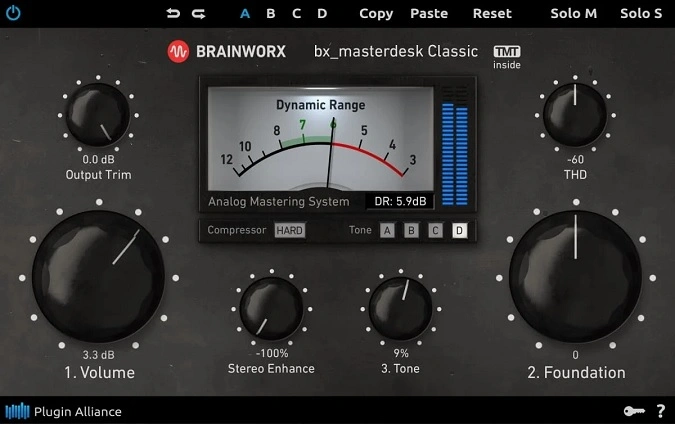
PA FREE bx_masterdesk Classic
Key Features
- Complete analog-modeled mastering chain with compressor, EQ, and limiter in a three-step workflow
- Two selectable compressor modes that add spatial depth and controlled loudness without harshness
- Foundation knob balances low-end weight against upper-frequency clarity across any genre
- Tone control sweeps the overall character from warm and dark to bright and present
- Tolerance Modeling Technology (TMT) introduces realistic analog component variance between channels
- Extensive preset library tuned by professional mastering engineers for immediate starting points
- Dynamic Range VU meter provides real-time visual feedback on loudness and headroom
Description
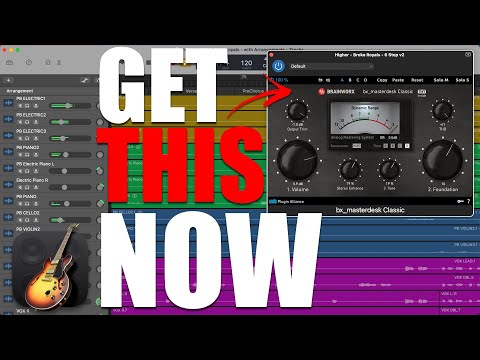
bx_masterdesk Classic by Brainworx is a streamlined mastering plugin that packages a complete analog-style mastering chain into a single, intuitive interface. It shares the same high-end signal processing as its paid sibling, delivering professional-sounding loudness and polish through a simplified three-knob workflow.
The plugin routes your audio through modeled mastering-grade compressors, EQ stages, and a limiter, all pre-tuned by Brainworx founder Dirk Ulrich and external mastering engineers. You choose one of two compressor modes, set the Volume to drive the chain, dial in low-end balance with Foundation, and shape the overall brightness with Tone.
Behind the minimal GUI, Brainworx's Tolerance Modeling Technology (TMT) simulates the component-level variances found in real analog hardware. This means each instance of the plugin introduces subtle channel-to-channel differences, much like running through physical mastering consoles.
Users consistently praise bx_masterdesk Classic for producing usable masters in under a minute. KVR forum members highlight the compression's spatial quality and the stereo enhancer's ability to narrow or widen the image cleanly, making it equally useful on reverb buses and submixes.
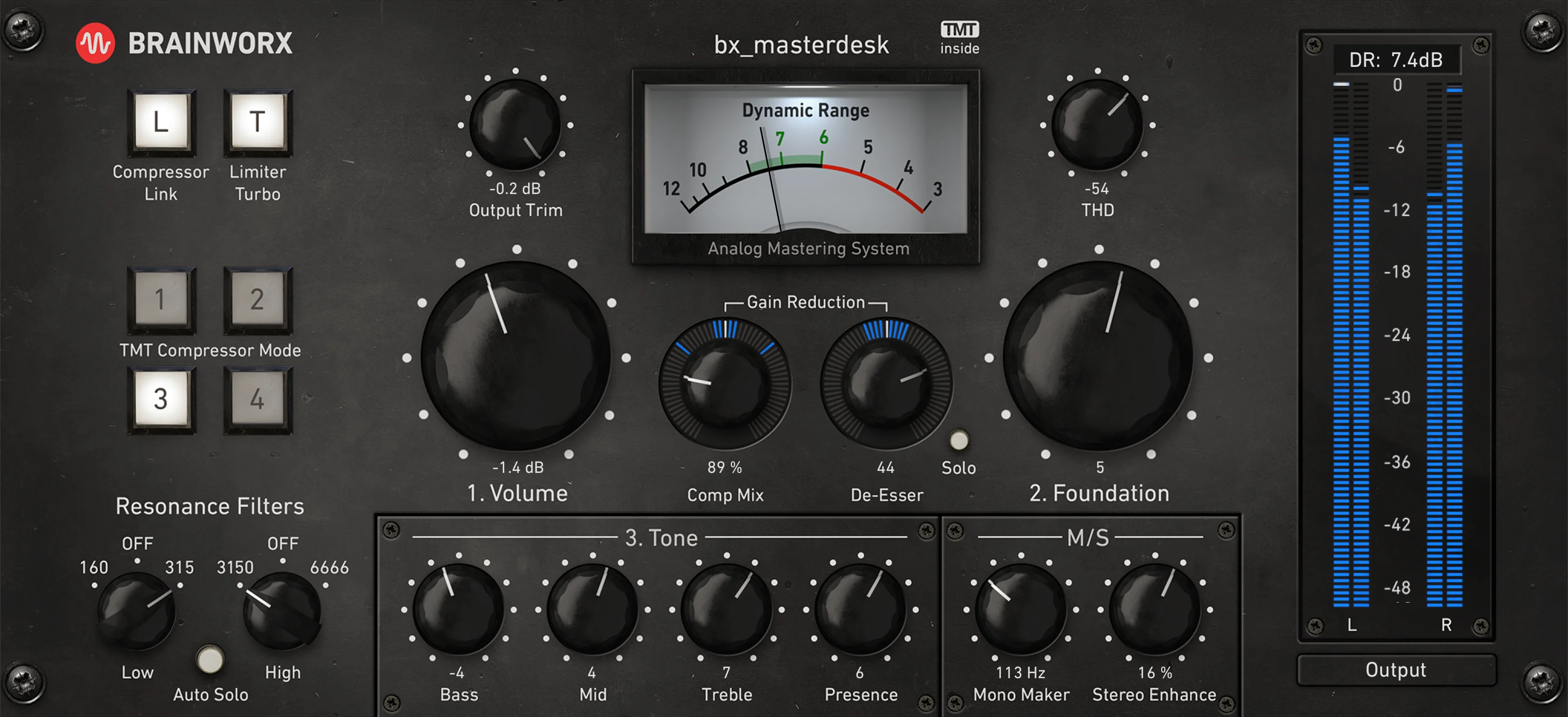
The Classic version strips away the full bx_masterdesk's Resonance Filters, De-Esser, M/S processing, and Presence controls, focusing exclusively on the core Volume-Foundation-Tone chain. It supports VST, VST3, AU, AAX Native, AAX DSP, and AAX AudioSuite formats on both macOS and Windows.
Video Preview
Tips
- Start by setting the volume control to adjust the perceived loudness of your track.
- Use the foundation knob to balance the lows and highs for a solid bass foundation.
- Adjust the tone control to fine-tune the overall vibe of your master, from bright to dark.
- Apply the stereo enhancement feature sparingly to avoid phasing issues.
- Use the THD control to add harmonic distortion for extra punch and character.
- Experiment with different presets to quickly find a suitable starting point for your master.
- Utilize the dynamic range VU meter to ensure your track hits the sweet spot for loudness without sacrificing quality.
- Remember that less is often more; subtle adjustments can make a significant difference in the mastering process.
Frequently Asked Questions
What is bx_masterdesk Classic?
bx_masterdesk Classic is a simplified version of Brainworx's bx_masterdesk mastering plugin, distributed by Plugin Alliance. It provides a complete analog-modeled mastering chain with three main controls — Volume, Foundation, and Tone — designed to produce professional masters quickly without requiring deep mastering knowledge.
What is the difference between bx_masterdesk and bx_masterdesk Classic?
The Classic version uses the same core mastering chain as the full bx_masterdesk but removes several advanced controls. The paid version adds Resonance Filters, a De-Esser, Mid/Side processing, Presence control, Mono Maker, and a dedicated Stereo Enhance knob, giving experienced engineers more surgical control over the mastering process.
Is bx_masterdesk Classic good for mastering?
Yes, it excels at producing polished, competitive-sounding masters quickly. Users on KVR and other forums report achieving usable results within 15 seconds, praising its compression quality and spatial enhancement. While it may not replace a full mastering chain for critical commercial releases, it handles rough masters, demos, and reference bounces exceptionally well.
Does bx_masterdesk Classic use Tolerance Modeling Technology?
Yes, bx_masterdesk Classic incorporates Brainworx's TMT (Tolerance Modeling Technology), which simulates the slight component-level variances found in analog hardware. This adds subtle channel-to-channel differences that contribute to the realistic analog character of the processed audio.


