
Sirial
Key Features
- 16 serial delay lines with individual amplitude and feedback — each line feeds the next for natural decay instead of parallel taps
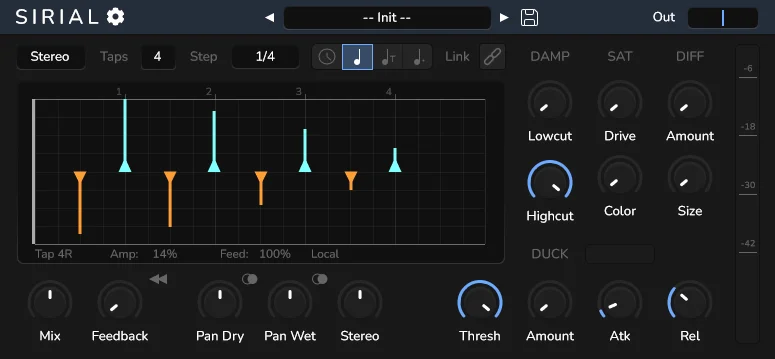
- Grid-based UI for configuring offset and amplitude per delay line, syncable to host BPM with multiple rhythmical subdivisions
- Stereo modes including independent L/R channel offsets, ping-pong with crossed feedback, and reverse delay
- Five modulation types: sine, triangle, square, random sample-and-hold, and random walk for evolving textures
- Built-in damping, saturation, and diffusion effects applied pre or post delay
- Ducking with threshold, amount, attack, and release controls to keep delays transparent during loud passages
- Factory presets including LCR, RCL, ping-pong, and rhythmic pattern starting points
Description
Sirial is a rhythmic delay plugin that uses serial delay lines instead of traditional taps. Each of the 16 delay lines feeds into the next, so effects on the feedback path apply to every tap naturally — producing a more realistic decay than parallel multi-tap designs.
The grid-based interface lets you set offset and amplitude for each delay line independently. You can sync subdivisions to host BPM and build intricate rhythmic patterns that range from subtle dotted-eighth echoes to complex polyrhythmic textures.
Stereo processing includes independent left and right channel offsets, a ping-pong mode with crossed feedback, and a reverse delay mode. Five modulation types — sine, triangle, square, random sample-and-hold, and random walk — add movement to the repeats.
Built-in effects cover damping, saturation, and diffusion, applied pre or post delay. A ducker with threshold, amount, attack, and release controls keeps the delay out of the way during loud passages.
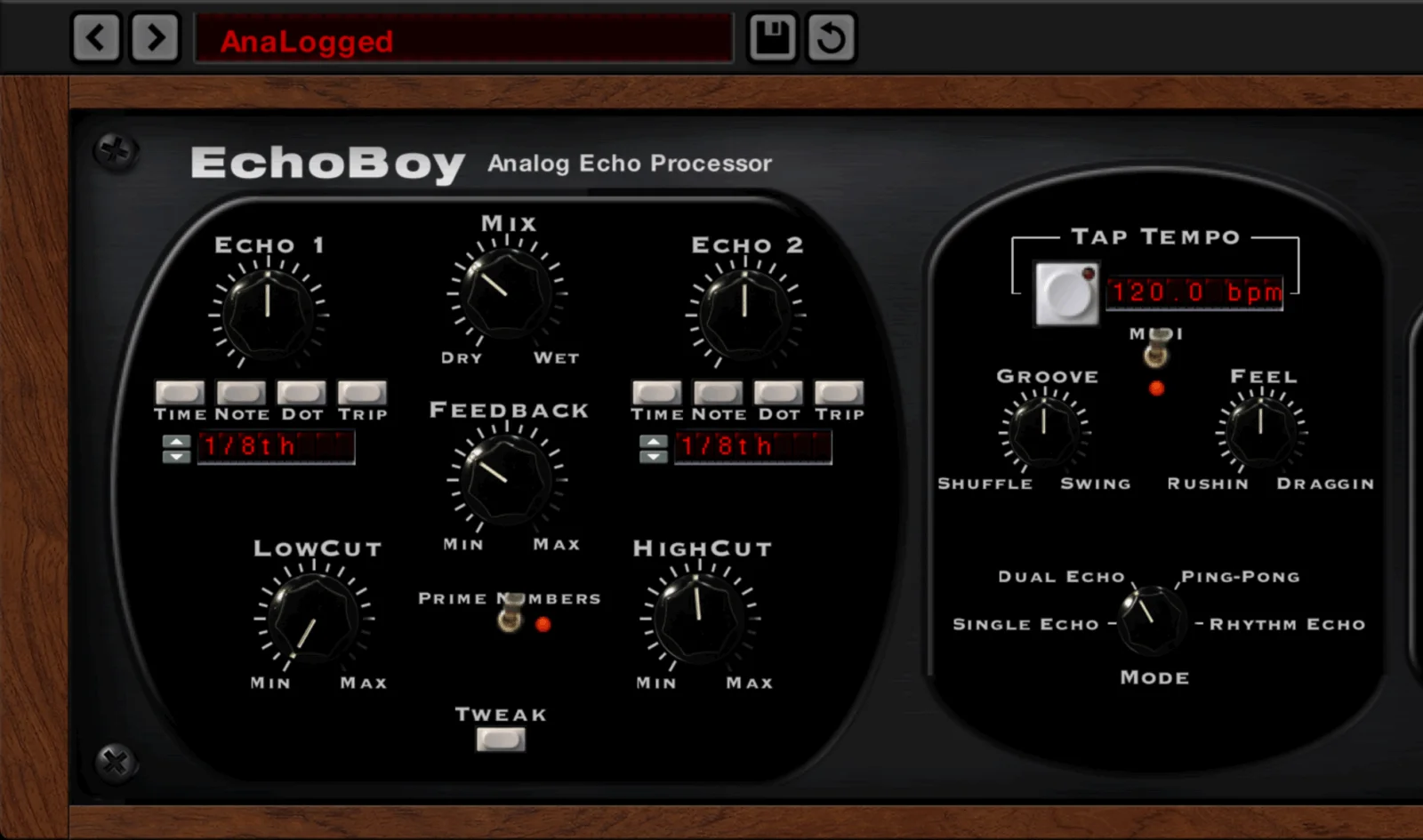
Inspired by Soundtoys EchoBoy’s tap mode, Sirial was built by TiagoLr, the developer behind QDelay and FILT-R. It ships with factory presets including LCR, ping-pong, and rhythmic pattern starting points.
The plugin holds a 5.0/5 rating on KVR Audio. Synth Anatomy and Bedroom Producers Blog both highlighted the serial delay architecture as a novel approach to rhythmic delay design.
Video Preview

Frequently Asked Questions
What is the difference between serial delay lines and multi-tap delay?
Traditional multi-tap delays place taps at different points along a single delay line. Sirial chains 16 delay lines in series so that each line feeds the next. This means any effects on the feedback path — saturation, diffusion, damping — are applied to every tap naturally, producing a more realistic and musical decay.
Is Sirial a good alternative to Soundtoys EchoBoy?
Sirial was directly inspired by EchoBoy’s tap mode. It offers comparable rhythmic pattern control with 16 configurable taps, stereo modes, and modulation. EchoBoy includes additional features like analog echo emulations and more built-in effects, but Sirial covers the rhythmic delay use case at no cost.
What are the best free delay plugins for rhythmic patterns?
Sirial stands out for rhythmic delay work thanks to its 16 serial delay lines with per-tap amplitude and feedback control. Other strong options include MeldaProduction MDelay and Valhalla Supermassive for more ambient delays. Sirial is specifically designed for precise rhythmic customization.
Does Sirial work with Apple Silicon Macs?
Yes. The macOS build is a Universal 2 binary that runs natively on both Apple Silicon (M1, M2, M3, M4) and Intel Macs. It is available as AU and VST3 on macOS.
How do I install Sirial on macOS?
Download the macOS zip from GitHub, extract it, and move the AU or VST3 file to your plugin folder. Because the plugin is unsigned, you may need to remove the quarantine flag by running 'xattr -cr' on the plugin file in Terminal before your DAW will load it.


