
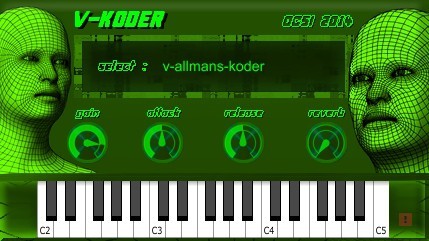
V-Koder
Key Features
- Three distinct vocoded phrase sets (V-IGNE-KODER, V-UA-KODER, V-ALLMANS-KODER) spread across three octaves for instant robotic vocal textures
- Built-in Reverb knob for adding spatial depth to vocoder sounds without external effects processing
- Velocity-sensitive playback that responds to how hard you hit the keys, adding natural dynamics to vocoded phrases
- Mod wheel-controlled panning LFO that sweeps the vocoder signal between left and right channels for stereo movement
- Adjustable Attack and Release envelope controls for shaping how vocoder samples fade in and sustain
- Available in both VST (32-bit and 64-bit) and NKI format for Kontakt 5.3+, offering flexibility across different setups
Description
V-Koder by DCSI (Diego Callegari Sounds Images) is a sample-based vocoder instrument that plays back three sets of pre-recorded, vocoded nonsense phrases mapped across the keyboard. Rather than processing incoming audio like a traditional vocoder, it triggers looped vocal samples that have already been run through a vocoder, giving you instant robotic textures without any routing or sidechain setup.
The three soundsets, V-IGNE-KODER, V-UA-KODER, and V-ALLMANS-KODER, each contain a different vocoded phrase spread across three octaves. Playing higher or lower on the keyboard pitch-shifts the sample, creating everything from deep, rumbling robotic voices to high-pitched, chirpy vocoder stabs.
The GUI provides four controls: Gain, Attack, Release, and Reverb, where Attack and Release shape how the vocoder samples fade in and out while the built-in Reverb adds spatial depth without needing an external effect. The mod wheel on a MIDI controller activates a panning LFO that sweeps the signal between left and right channels.
Bedroom Producers Blog noted that despite its simplicity, the sound is "rather interesting and might work great in pop and electronic music." Velocity sensitivity lets you add dynamics by varying how hard you play each note.
V-Koder is available as a 32-bit and 64-bit VST plugin for Windows, with an additional NKI version for Native Instruments Kontakt 5.3 and above. The download is approximately 24 MB.
Video Preview


Frequently Asked Questions
What is the best vocoder VST plugin?
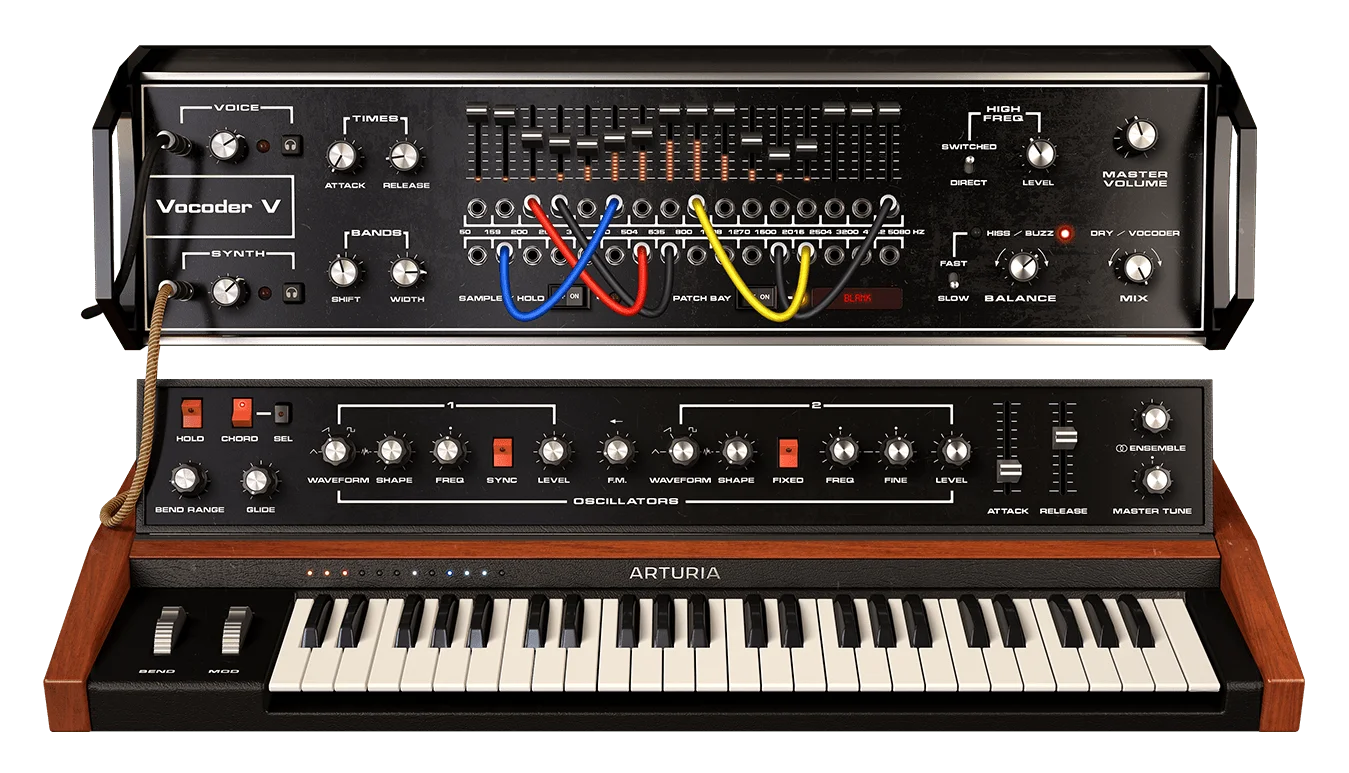
The best vocoder depends on your workflow. Traditional vocoders like Arturia Vocoder V ($149) and Zynaptiq Orange Vocoder IV ($149) process live audio through frequency bands in real time. V-Koder takes a different approach by playing back pre-vocoded samples, which means you get vocoder textures instantly without needing to route a carrier signal or configure sidechain inputs.
Does V-Koder work as a Kontakt instrument?
Yes. V-Koder includes an NKI version built with Kontakt 5.3 that offers deeper host sync interaction and sequence programming capabilities beyond what the VST version provides. You need the full version of Kontakt 5.3 or later to load it, as it is not compatible with the free Kontakt Player.
How is V-Koder different from a traditional vocoder plugin?
A traditional vocoder takes two audio inputs (a carrier synth and a modulator voice) and blends them in real time. V-Koder skips that step entirely by providing pre-recorded vocal phrases that have already been vocoded. You play them chromatically across the keyboard like a synth, which makes it simpler to use but less flexible than a real-time vocoder.
Can you customize the vocoder sounds in V-Koder?
The plugin offers four controls: Gain, Attack, Release, and Reverb. You can shape the amplitude envelope and add spatial depth, and the mod wheel activates a panning LFO for stereo movement. However, you cannot load your own samples or change the vocoder processing itself, as the three phrase sets are fixed.


