
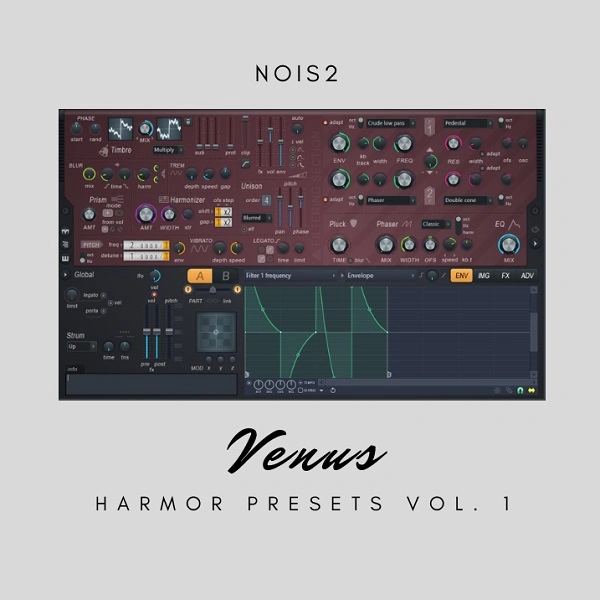
Venus Vol 1
Key Features
- 92 presets covering bass, arps, keys, plucks, leads, synths, guitar, pads, and SFX — built natively for Harmor
- Updated release: original 80-preset pack expanded by 12 additional patches
- Bass and 808 presets optimized for trap and hip-hop low-end weight
- Pluck and arp patches tuned for melodic clarity in electronic and pop contexts
- Lead and synth presets designed to sit prominently in a mix without heavy EQ
- All presets use Harmor's additive synthesis engine for detailed harmonic control and CPU-efficient playback
- Includes an installation guide so you can load presets quickly into FL Studio
Description
Venus Vol 1 is a collection of 92 custom-made presets for FL Studio's Harmor synthesizer, crafted by sound designer Nois2. Originally launched with 80 presets, an update added 12 more, expanding the library to a comprehensive palette of production-ready sounds.
The pack spans 14 bass patches, 13 plucks, 16 synths, 13 keys, and 7 leads alongside arpeggiated sequences, chords, pads, guitar emulations, and a vox patch. Every patch is built to take full advantage of Harmor's additive synthesis engine, delivering clean harmonic precision and the animated movement the synth is known for.
Venus Vol 1 targets versatility above all — the sounds sit comfortably across electronic, trap, hip-hop, and pop contexts without extensive tweaking. Harmor's additive architecture means each preset retains its character at different pitches and tempos, making the patches genuinely reusable across track types.
Producers who want a ready-to-use Harmor library that covers both low-end and melodic territory in a single download will find Venus Vol 1 a practical starting point.
Video Preview

Tips
- Layering Bass and 808s: Combine different bass presets to create a fuller, more complex low end. For example, layer a sub-bass preset with a mid-range bass to add depth and presence.
- Utilizing Arps for Movement: Use the arpeggiated presets to add dynamic movement to your tracks. Experiment with different arpeggio patterns and sync them to your project tempo for a cohesive feel.
- Enhancing Keys with Effects: Apply reverb and delay to the key presets to create a more spacious and atmospheric sound. This can help the keys sit better in the mix and add emotional depth to your music.
- Creating Rhythmic Interest with Plucks: Use the pluck presets to add rhythmic interest to your tracks. Automate parameters such as filter cutoff and resonance to create evolving textures and keep the listener engaged.
- Crafting Unique Leads: Customize the lead presets by tweaking the modulation and envelope settings. This allows you to create unique sounds that fit perfectly with your track's vibe and make your lead parts stand out.
Frequently Asked Questions
Which version of Harmor do I need?
Venus Vol 1 is designed for Harmor as included with FL Studio. The presets use the FST format native to FL Studio. You need a licensed copy of Harmor — the synth is included in FL Studio Producer Edition and above, or can be purchased separately from Image-Line.
How do I install the presets?
Extract the ZIP and copy the .fst files into your Harmor presets folder (typically found at %USERPROFILE%/Documents/Image-Line/FL Studio/Presets/Plugins/Generators/Harmor on Windows). Once added, the presets appear in Harmor's built-in preset browser.
Are these presets compatible with Harmless or other FL Studio synths?
No — the FST preset format is specific to Harmor. The patches won't load in Harmless or other synths. You need Harmor itself to use them.
Can I use these presets in a DAW other than FL Studio?
Harmor is available as a VSTi, so you can load it in other VST-compatible DAWs. However, the FST preset format is an FL Studio native format. Loading presets from outside FL Studio may require using the plugin's own preset browser within your DAW.


