
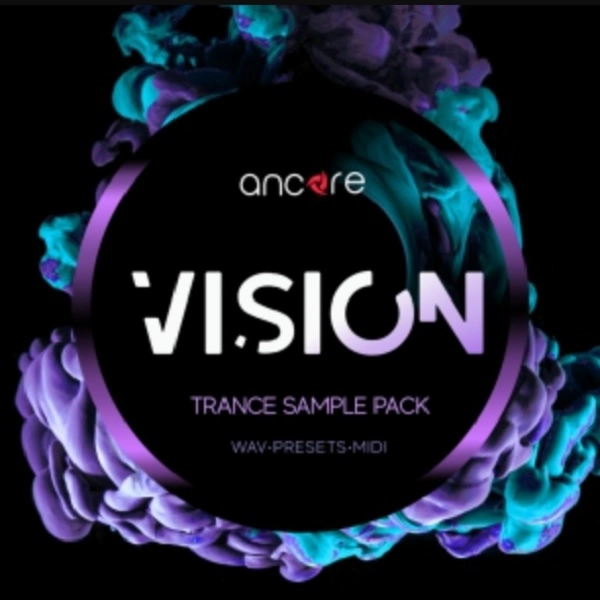
VISION PROGRESSIVE TRANCE
Audio Preview
Key Features
- Construction kits with separated layers including drums, bass, synths, fills, FX, and MIDI for flexible arrangement in any DAW
- Synth presets for Reveal Sound Spire (v1.1.14+), Xfer Serum (v1.2.13+), and LennarDigital Sylenth1 (v2.2/3.03) ready to load and tweak
- Key-labeled WAV loops and MIDI sequences rendered at 44.1 kHz / 24-bit for professional mixing quality
- Pre-mixed stems for drums, bass, synths, and effects that work as instant building blocks for progressive trance tracks
- Sound design inspired by Armada, Enhanced, and Anjunabeats label aesthetics with euphoric leads and driving rhythms
- 100% royalty-free content cleared for commercial releases without additional licensing
Description
VISION Progressive Trance is a free demo sample pack from Ancore Sounds containing construction kits, MIDI files, presets, and stems in the style of progressive trance. The full paid version includes 2.5 GB of content across 5 construction kits with 173 files total.
The free version gives you a curated selection of the full pack's material, including WAV loops, MIDI sequences, and synth presets compatible with Reveal Sound Spire, Xfer Serum, and LennarDigital Sylenth1. All content is key-labeled and rendered at 44.1 kHz / 24-bit quality.
Ancore Sounds designed VISION around the sound of labels like Armada, Enhanced, and Anjunabeats, drawing inspiration from artists including Arty, Above & Beyond, Andrew Rayel, Ilan Bluestone, and Genix. The construction kits break down into drums, bass, synths, fills, FX, and MIDI layers that can be loaded into any DAW.
The pack includes punchy rhythmic elements, rolling basslines, and euphoric synth leads that capture the driving energy of modern progressive trance. Stems are provided as pre-mixed audio tracks for producers who want ready-to-use building blocks.
All sounds and presets are 100% royalty-free for use in commercial and personal projects. The full VISION series has expanded to three volumes, making this free demo a practical way to evaluate Ancore Sounds' production quality before committing to the paid packs.
Video Preview


Tips
- Layering MIDI Files: Use the MIDI files to layer multiple synths and create a rich, full sound. For example, combine a pluck preset with a pad preset to add depth and complexity to your melodies.
- Customizing Presets: Tweak the presets to fit your unique style. Adjust parameters like filter cutoff, resonance, and envelope settings to make the sounds your own. This can help you achieve a more personalized and distinctive sound.
- Organizing Folders: Utilize the organized folders to streamline your workflow. Create a template project with your favorite samples and presets from each folder, so you can quickly access them when inspiration strikes.
- Mixing Stems: Use the stems as a starting point for your mixes. Since they are pre-mixed, you can focus on creative aspects like adding effects and automation. Additionally, you can layer the stems with your own sounds to create a fuller mix.
- Automation and Effects: Apply automation to the presets and stems to add movement and interest to your tracks. Use effects like reverb, delay, and modulation to enhance the sounds and create a more dynamic and engaging mix.
Frequently Asked Questions
What synth presets are included in VISION Progressive Trance?
The full pack includes 27 Sylenth1 presets, 6 Serum presets, and 2 Spire presets. Sylenth1 requires version 2.2, 2.21Beta, or 3.03. Serum requires version 1.2.13 or higher, and Spire requires version 1.1.14 or higher.
What is the difference between the free and paid versions of VISION?
The free version is a demo containing a curated selection of content from the full pack. The paid version includes all 5 construction kits with 173 files totaling 2.5 GB, covering 29 drum sounds, 13 bass sounds, 17 fills and FX, 18 synth sounds, 18 MIDI files, and 35 synth presets.
Can I use VISION samples in commercial releases?
Yes. All sounds and presets in the VISION pack are 100% royalty-free. You can use them in commercial and personal music productions without any additional licensing fees or royalty payments.
What BPM range does VISION Progressive Trance cover?
The construction kits are designed for progressive trance tempos, typically ranging from 128 to 136 BPM. All MIDI files and loops are key-labeled, making it straightforward to match them with your existing project tempo and key.


