Baby Dont Hurt Me
Audio Preview
Key Features
- Complete FL Studio (.flp) project reconstructing David Guetta, Anne-Marie & Coi Leray's "Baby Don't Hurt Me"
- 12 high-quality samples chosen to match the original's sonic palette
- Detailed arrangement mirroring the original's intro, verse, chorus, and outro structure
- Drum section with four-on-the-floor kick, snappy claps, and rolling snares for a dynamic rhythm foundation
- Deep, resonant basslines and synth/keys parts replicating the melodic elements of the original
- FX section including risers, sweeps, and impacts, with pre-configured sidechain compression and reverb automation
Description
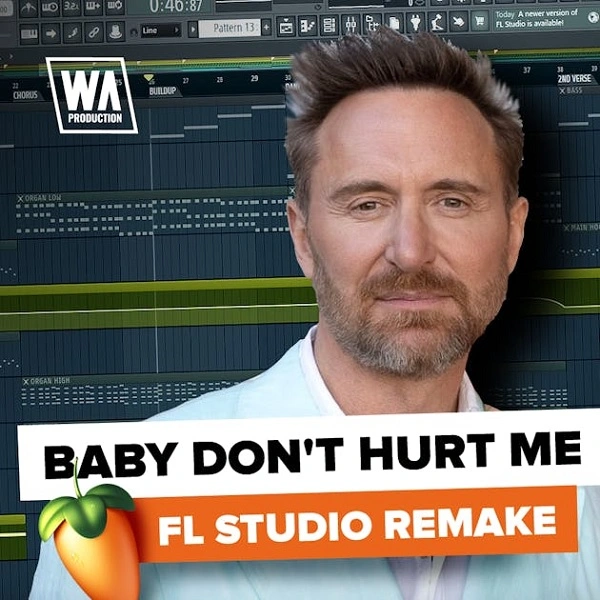
Baby Don't Hurt Me is an unofficial FL Studio remake by WA Production, reconstructing the 2023 house-pop hit by David Guetta, Anne-Marie, and Coi Leray as a 40 MB educational project file that opens the entire production for inspection.
The template includes the main FL Studio project and 12 high-quality samples matched to the original's sounds. The arrangement follows the full track structure — intro, verses, chorus, and outro — so you can see exactly how the sections connect and build.
Drum programming centres on a four-on-the-floor kick, snappy claps, and rolling snares. These sit alongside deep resonant basslines and synth and keys parts that replicate the melodic elements of the original production.
An FX section covering risers, sweeps, and impacts is included alongside pre-configured automation and effects settings. Sidechain compression and reverb are already applied, giving you a direct view of how the mix dynamics and energy are shaped throughout the track.
Video Preview

Tips
- Customize the Drum Patterns: Start by exploring the drum patterns included in the template. Experiment with different kick, clap, and snare variations to create your unique rhythm. Adjust the sidechain compression settings to get the perfect pumping effect.
- Modify the Bassline: The bassline is a key element in this track. Try using different bass sounds or altering the existing progression to fit your style. Pay attention to the EQ and compression settings to make sure the bass sits well in the mix.
- Experiment with Synths and Keys: The synth and key sections offer a lot of room for creativity. Tweak the presets or replace them with your own sounds. Use the automation lanes to create dynamic changes and keep the listener engaged.
- Enhance the FX Section: The FX section is vital for building tension and excitement. Add or modify risers, impacts, and sweeps to suit your arrangement. Use automation to control the intensity and timing of these effects.
- Analyze the Arrangement: Study the arrangement of the template to understand how the track is structured. Use this knowledge to create your arrangements, ensuring that each section flows smoothly into the next. Adjust the length of the intro, verses, and choruses to fit your vision.
Frequently Asked Questions
Which version of FL Studio is required to open this template?
The template is an FL Studio project (.flp) file. FL Studio 20 or later is recommended. Opening it in significantly older versions may result in some effects or automation clips not loading correctly.
Does this template require any third-party plugins?
The project is built using W. A. Production's royalty-free samples and FL Studio's native instruments and effects. No specific third-party synths are listed as required. If FL Studio flags missing samples on load, point it to the folder where you extracted the download.
Is this an official release by David Guetta, Anne-Marie, or Coi Leray?
No — this is an unofficial educational remake by W. A. Production. It is not affiliated with the original artists or their labels and is intended purely as a learning resource for FL Studio producers.
What are the OGG files included in the download?
The OGG files are audio samples or stems used within the FL Studio project. OGG is a compressed audio format that FL Studio supports natively. They function the same as WAV files within the project — no special software is needed beyond FL Studio.