Ghostbusters
Description
The Ghostbusters Ableton template is a detailed recreation of Ray Parker Jr.'s iconic 1984 theme song.
This template includes all the key elements that capture the essence of the original track, providing music producers with a tool to explore and learn from.
Key features of the template include:
Track Arrangement: The template is organized into multiple tracks, each representing different instruments and sounds used in the original song.
These include the main synth line, bassline, drum patterns, and various effects.
Instruments and Presets: The template uses a range of virtual instruments and presets to replicate the sounds of the original track.
Notably, it features the Korg Poly 61 for the main synth line and the Roland Jupiter 6 for the bassline.
MIDI Files: All MIDI files are included, allowing producers to see the exact notes and rhythms used in each part of the song.
This is particularly useful for understanding the composition and arrangement techniques used by Ray Parker Jr.
Effects and Automation: The template includes various effects and automation settings to match the dynamic changes and nuances of the original track.
This includes reverb, delay, and EQ settings that help to recreate the lush, 80s synth-pop sound.
Drum Patterns: The drum tracks are programmed to replicate the Linn Drum machine used in the original recording, complete with iconic fills and transitions.
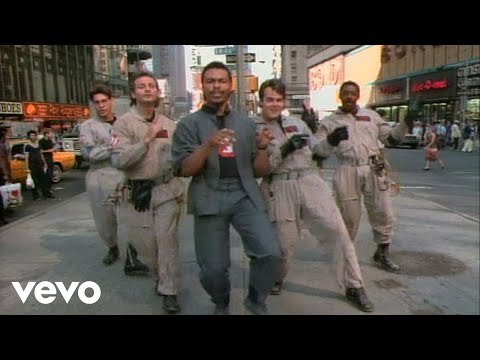
Video Preview
Tips
- Analyze the Arrangement: Break down the arrangement to understand how different sections of the song are structured. Pay attention to the intro, verses, chorus, and bridge to see how they flow together and build the song's energy.
- Study the MIDI Files: Use the included MIDI files to study the note choices and rhythms. This can provide insight into the melodic and harmonic structure of the song. Try experimenting with different sounds using the same MIDI data to see how it changes the feel of the track.
- Experiment with Effects: The template comes with pre-configured effects and automation. Experiment with these settings to understand how they contribute to the overall sound. Try adjusting the reverb and delay settings to see how it affects the space and depth of the mix.
- Layering Techniques: Observe how different layers of sounds are used to create a full and rich texture. For example, the main synth line and bassline work together to create a cohesive sound. Try adding your own layers or modifying existing ones to put your spin on the track.
- Practice Sound Design: Use the template as a starting point for your sound design practice. Try recreating the sounds using different synths or tweaking the existing presets to better understand how they were made. This can help improve your skills in creating similar sounds for your productions.