
Hybrid Trap Motion
Audio Preview
Key Features
- Full Ableton Live project at 155 BPM in A minor with complete arrangement from intro to drop to outro
- Individual audio stems for every instrument track, enabling detailed mixing and re-arrangement
- Serum synthesizer presets used in the original production, ready to load and tweak
- Editable MIDI files for all melodic and harmonic parts so notes and rhythms can be swapped freely
- Pre-configured master rack demonstrating professional hybrid trap gain staging and limiting
- Aggressive sub basslines and layered 808s designed for maximum low-end impact in the drop
- Atmospheric effects, stutter automation, and build-up tension techniques typical of hybrid trap
Description
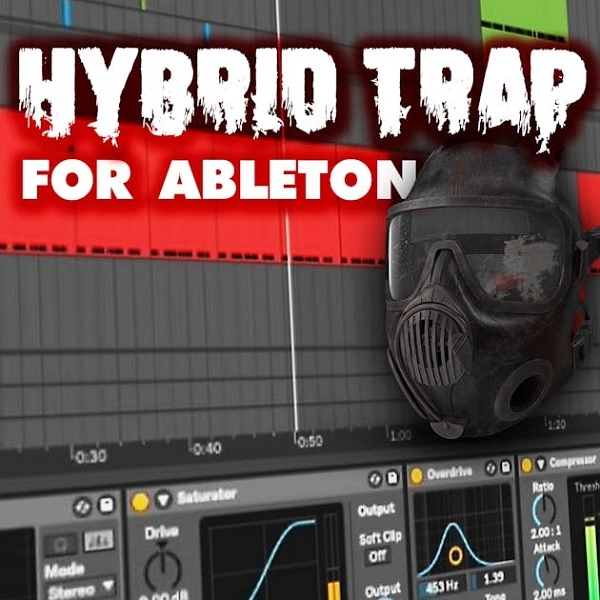
Hybrid Trap Motion is a complete Ableton Live template from WA Production, built for high-energy hybrid trap productions. It runs at 155 BPM in A minor and ships with the full project file alongside individual stems, Serum presets, MIDI files, and a pre-configured master rack.
The template was created as a companion piece to WA Production's "Hybrid Trap Crew" Splice pack. Every track is labelled and organized so the arrangement, sound layering, and signal chain are immediately readable — giving producers a professional-grade reference for how a finished hybrid trap track is structured.
Serum is the primary synthesizer used throughout the project. Producers without Serum can still work with the included audio stems, but the full sound design layer — including the synth patches and wavetable elements — requires Serum to recreate.
The master rack demonstrates professional gain staging and limiting for the genre. MIDI files cover all melodic and harmonic parts, making it straightforward to replace or repitch individual elements without starting from scratch.
Video Preview

Tips
- Layering Drums: Pay attention to the drum stems provided. Layering the kick and snare with additional samples or tweaking their EQ can add more punch and presence to your track.
- Customizing MIDI Files: Use the MIDI files to experiment with different instruments or synth presets. This can help you create a unique sound while maintaining the core structure of the track.
- Tweaking Serum Presets: The Serum presets included are a great starting point. Don’t hesitate to modify the parameters to fit the vibe of your track better. Adjusting the LFO rates, filter settings, and effects can yield interesting variations.
- Analyzing the Master Rack: Study the master rack settings to understand how the final polish is achieved. Pay close attention to the use of EQ, compression, and limiting. You can apply similar techniques to your other projects.
- Exploring Automation: The template includes various automation lanes for volume, filters, and effects. Experiment with these to add dynamic changes and keep your track engaging from start to finish.
Frequently Asked Questions
Which version of Ableton Live does this template require?
The template was created in Ableton Live 10. It should open in Live 10 and above. Opening in Live 9 or earlier may cause compatibility issues with certain devices and effects.
Do I need Serum to use this template?
Serum is used for the synth patches in the project. If you don't have Serum, the audio stems are included so you can still hear and work with the sounds. To edit the sound design layer, Serum (by Xfer Records) is required.
Can I use the stems and MIDI in my own commercial releases?
W. A. Production releases their free templates under a royalty-free license for personal and commercial use. Check the W. A. Production website for the exact license terms that apply to this specific template.
What DAW do I need — is this a Logic Pro or FL Studio template?
This is an Ableton Live template (.als format). It is not compatible with Logic Pro or FL Studio. You need Ableton Live to open the project file, though the stems and MIDI can be imported into any DAW.


