Ghostbusters
Key Features
- Full recreation of the main synth line using the Korg Poly 61 sound character
- Roland Jupiter 6-style bassline with the original note pattern and register
- Linn Drum machine-programmed drum tracks matching the original fills and transitions
- All MIDI files included, exposing note choices, rhythms, and song structure
- Effects chains with period-accurate 80s reverb, delay, and EQ settings
- Iconic string section hits and stab arrangement from the original recording
- Fully labelled arrangement split by instrument group for easy study and remixing
Description
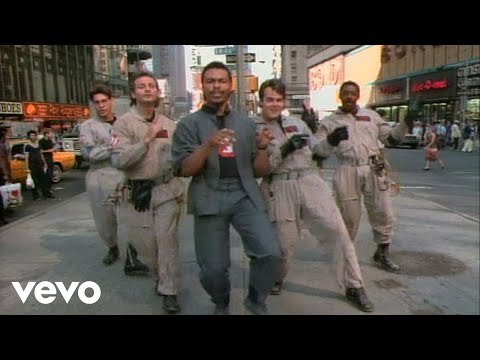
The Ghostbusters Ableton template by John Bartmann is a meticulous recreation of Ray Parker Jr.'s iconic 1984 theme song. The project reverse-engineers every layer of the original recording — the Korg Poly 61 lead synth line, the Roland Jupiter 6 bassline, the Linn Drum machine patterns, and the layered string hits.
All MIDI files are included so producers can examine the exact note choices and rhythms used in each part. The drum tracks are programmed to match the original Linn Drum feel, including the characteristic fills and transitions.
Effects chains recreate the reverb, delay, and EQ settings that defined the lush, gated 80s synth-pop production style. Each processing decision — the thick plate reverb on the snare, the chorus on the synth lead — is visible and adjustable in the project.
The arrangement is fully labelled and split by instrument group, making it straightforward to isolate any element and study how it sits in the mix. The template works as both a production learning resource and a starting point for an 80s-influenced remix.
Video Preview

Tips
- Analyze the Arrangement: Break down the arrangement to understand how different sections of the song are structured. Pay attention to the intro, verses, chorus, and bridge to see how they flow together and build the song's energy.
- Study the MIDI Files: Use the included MIDI files to study the note choices and rhythms. This can provide insight into the melodic and harmonic structure of the song. Try experimenting with different sounds using the same MIDI data to see how it changes the feel of the track.
- Experiment with Effects: The template comes with pre-configured effects and automation. Experiment with these settings to understand how they contribute to the overall sound. Try adjusting the reverb and delay settings to see how it affects the space and depth of the mix.
- Layering Techniques: Observe how different layers of sounds are used to create a full and rich texture. For example, the main synth line and bassline work together to create a cohesive sound. Try adding your own layers or modifying existing ones to put your spin on the track.
- Practice Sound Design: Use the template as a starting point for your sound design practice. Try recreating the sounds using different synths or tweaking the existing presets to better understand how they were made. This can help improve your skills in creating similar sounds for your productions.
Frequently Asked Questions
Which version of Ableton Live does this template require?
The template was created in Ableton Live and uses standard Ableton instruments and devices. It should open without issues in Ableton Live 10 and above.
Does this template include third-party synthesizers, or does it use stock Ableton devices?
The template uses Ableton's built-in instruments to recreate the Korg Poly 61 and Roland Jupiter 6 sounds rather than requiring those hardware emulations. No third-party plugins are needed.
Can I use the MIDI and arrangement in my own track?
The Ghostbusters theme is a copyrighted composition. While you can use the template for learning and personal study, publishing or releasing music based on the arrangement or melody requires a sync license from the copyright holders (Sony Music Publishing).
What does the MIDI breakdown show that's useful for producers?
The MIDI files reveal the exact note sequence of the signature riff, the bassline movement, the drum timing offsets, and the chord voicings for the stab sections — giving direct insight into how a hit pop-synth track from 1984 was constructed.