Latin Techhouse Template
Audio Preview
Key Features
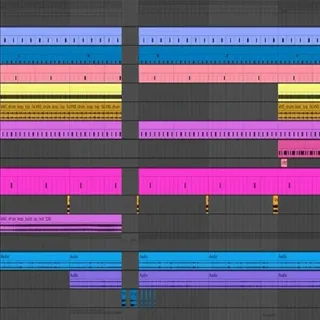
- Complete Latin tech house arrangement in FL Studio 21 with intro, build-up, drop, and breakdown sections fully mapped out
- 34 royalty-free 24-bit WAV samples including loops and one-shots covering drums, percussion, bass, and melodic elements
- Pre-mixed and mastered project file that serves as a reference for gain staging, EQ, and effects processing decisions
- Latin-inspired percussion patterns and rhythmic groove elements that capture the signature feel of the subgenre
- Compatible with FL Studio stock plugins while leveraging Serum, Xfer OTT, Endless Smile, and Kickstart 2 for enhanced sound design
- Clear project organization with labeled tracks and routing, making it easy to study signal flow and arrangement techniques
- Fully customizable — swap out synth patches, rearrange sections, or replace samples to create an original track from the template
Description
The Latin Techhouse Template by Tech House Market is a fully arranged FL Studio 21 project file that walks you through the production of a club-ready Latin tech house track. It covers everything from drum programming and bassline construction to melodic layering and mix processing, giving you a professional reference point to study and build on.
The template uses a combination of FL Studio stock plugins and select third-party tools including Serum v1.363, Xfer OTT, Dada Life Endless Smile, and Kickstart 2. If you do not own any of these plugins, you can still open the project, dismiss the error messages, and substitute your own tools.
Inside the project you will find Latin-inspired percussion patterns, rhythmic groove elements, and melodic hooks that define the Latin tech house sound. The arrangement demonstrates how to structure an intro, build-up, drop, and breakdown to maintain energy on the dancefloor.
All 34 samples included in the 42.6 MB download are delivered in 24-bit WAV format alongside the FLP project file. Every sample is 100% royalty-free, so you can use them in your own releases, DJ sets, or remix projects without licensing concerns.
Tech House Market is a Netherlands-based production resource trusted by over a thousand producers, with a 4.8 out of 5 star rating from more than 1,100 reviews. Their templates are crafted by professional producers with real-world label credits.
Video Preview

Tips
- Replace Missing Plugins: If you do not have the third-party plugins used in the template (Serum, Xfer OTT, Dada Life Endless Smile, Kickstart 2), replace them with similar plugins you own. This will allow you to maintain the integrity of the sound while making the project your own.
- Analyze the Arrangement: Study the arrangement of the track to understand how different sections are structured. Notice how the intro, build-up, drop, and breakdown are crafted to maintain energy and interest throughout the track.
- Customize the Drum Patterns: The template includes various drum loops and patterns. Experiment with these patterns by adding or removing elements, changing the rhythm, or layering additional percussion to create your unique groove.
- Modify the Melodic Elements: The project features several melodic loops and hooks. Try altering the MIDI data or replacing the instruments to create new melodies while keeping the Latin vibe intact.
- Experiment with Effects: Pay attention to the use of effects like reverb, delay, and automation within the template. Experiment with these effects to see how they contribute to the overall sound and try applying similar techniques to your own tracks.Replace Missing Plugins: If you do not have the third-party plugins used in the template (Serum, Xfer OTT, Dada Life Endless Smile, Kickstart 2), replace them with similar plugins you own. This will allow you to maintain the integrity of the sound while making the project your own.
- Analyze the Arrangement: Study the arrangement of the track to understand how different sections are structured. Notice how the intro, build-up, drop, and breakdown are crafted to maintain energy and interest throughout the track.
- Customize the Drum Patterns: The template includes various drum loops and patterns. Experiment with these patterns by adding or removing elements, changing the rhythm, or layering additional percussion to create your unique groove.
- Modify the Melodic Elements: The project features several melodic loops and hooks. Try altering the MIDI data or replacing the instruments to create new melodies while keeping the Latin vibe intact.
- Experiment with Effects: Pay attention to the use of effects like reverb, delay, and automation within the template. Experiment with these effects to see how they contribute to the overall sound and try applying similar techniques to your own tracks.
Frequently Asked Questions
What version of FL Studio do I need to open this template?
This template requires FL Studio 21 or later. It was built in FL Studio 21 and uses features specific to that version, so earlier versions may not load the project correctly.
Do I need Serum and the other third-party plugins to use the template?
No, the third-party plugins (Serum v1.363, Xfer OTT, Dada Life Endless Smile, Kickstart 2) are optional. You can open the project without them by dismissing the error messages and replacing those channels with your own plugins or stock alternatives.
Can I release music made with this template?
Yes, all 34 samples included in the template are 100% royalty-free. You can use them in commercial releases, DJ sets, live performances, and remix projects without paying additional licensing fees.
How is this different from a sample pack?
A sample pack gives you individual sounds to arrange yourself. This template provides a complete, fully arranged and mixed track as an FL Studio project file, so you can see exactly how a professional Latin tech house track is structured from start to finish.
Can I use the samples in a different DAW like Ableton or Logic?
The FLP project file only opens in FL Studio, but the 34 WAV samples included in the download can be dragged into any DAW. You will not get the arrangement or mixer settings outside of FL Studio, however.