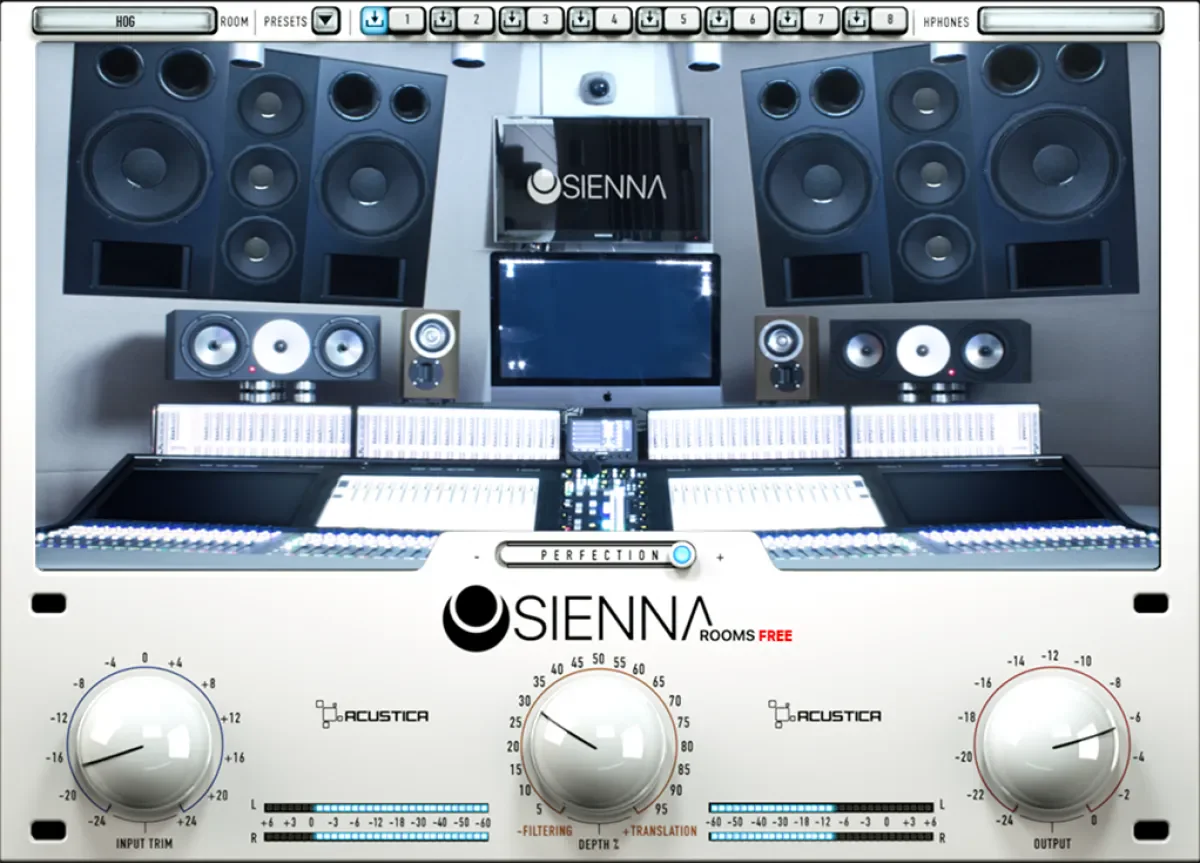
Sienna Free
Key Features
- Pairs Sienna Rooms and Guru processing with the HOG Sun218 sub-room emulation for headphone monitoring.
- Includes more than 180 headphone emulations measured and profiled by Acustica Audio.
- Provides a room-based reference intended to make headphone mix decisions easier to compare with speaker playback.
- Keeps the workflow focused on a dedicated headphone-monitoring bus rather than changing individual mix processors.
- Uses Aquarius Desktop for product download, installation, and automatic authorization.
- Acts as the lighter Sienna edition, separate from the commercial line's additional features and expansions.
Description
Sienna Free is Acustica Audio's headphone-monitoring plug-in for checking a mix through a modeled control-room perspective instead of relying on raw headphone playback alone. It combines Sienna Rooms and Guru tools with the HOG Sun218 sub room, giving a headphone session a more speaker-like reference for balance, depth, and translation decisions.
The included headphone library covers more than 180 measured profiles, so the practical starting point is to select a supported model and work from its correction and room-emulation setup. Acustica positions the processing as an alternative to treating a physical control room when you need to make focused monitoring decisions away from your usual speakers.
Sienna Free is deliberately a lighter edition of the wider Sienna line, rather than the full collection of commercial rooms and add-ons. That makes it most useful as a dedicated second opinion on a headphone bus: compare it against an unprocessed headphone feed, then use the result to spot balance or stereo choices worth checking elsewhere.
Installation and authorization are handled through Acustica's Aquarius Desktop application after adding the product to an Acustica Audio account. Owners of the commercial Sienna Volume A should note Acustica's warning that installing Sienna Free can downgrade that product.
Frequently Asked Questions
What is included with Sienna Free?
Acustica lists Sienna Rooms, Guru plug-ins, the HOG Sun218 sub room, and more than 180 headphone emulations. It is a lighter Sienna edition, so it does not include the additional features in the full commercial version.
How do I install and authorize Sienna Free?
Acustica distributes and authorizes the product through its Aquarius Desktop application. Create or sign in to an Acustica Audio account, add the product, then use Aquarius to download, install, and authorize it.
What does Sienna Free help you check while mixing?
It is built for headphone monitoring with headphone correction and a modeled room perspective. Use it as a reference when checking tonal balance, stereo presentation, and how a mix may translate outside your usual monitoring setup.
Should Sienna Volume A owners install Sienna Free?
Acustica explicitly advises Volume A owners not to install and download Sienna Free because it can downgrade the commercial product. Keep the commercial installation in place unless Acustica provides a different migration path.