Spread Light
Key Features
- Two stereo processing modes: Mid/Side for traditional width control and Haas Effect for psychoacoustic spatial enhancement
- Width control that collapses to mono at 0%, leaves the signal unaltered at 100%, and expands stereo content beyond the original image past 100%
- Tilt parameter for precise stereo panning and left-right positioning of audio within the stereo field
- Global Intensity slider acts as a dry/wet control, scaling all parameter values for quick blend adjustments
- Output Gain slider to maintain proper gain staging after stereo processing
- Lightweight, CPU-efficient code designed for stacking multiple instances across a full mix session
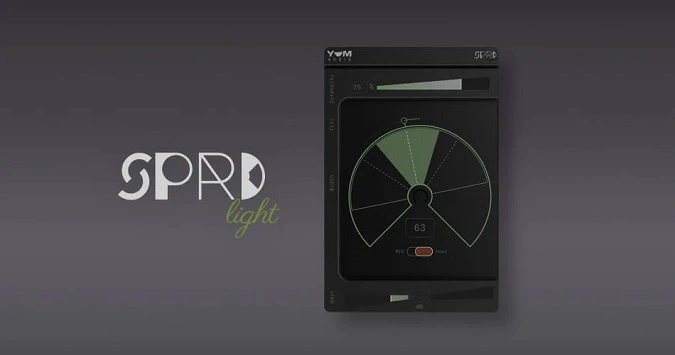
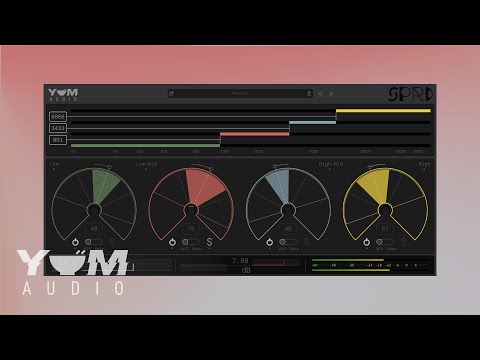
- Resizable GUI with real-time visual feedback of stereo width and tilt positioning
Description
Spread Light by Yum Audio is a lightweight stereo enhancement plugin that gives you precise control over the stereo width and positioning of any track. It ships with two distinct processing modes, Mid/Side and Haas, each offering a different approach to stereo manipulation.
In M/S mode, the Width control adjusts the balance between mid and side signals, letting you collapse to mono at 0% or push the stereo image beyond its original width past 100%. The Tilt parameter acts as a stereo panner, positioning audio anywhere across the left-right field.
Haas mode takes a psychoacoustic approach, using micro-timing differences between left and right channels to create a natural sense of space and directionality. The same Width and Tilt controls behave differently here, adjusting the delay amount and perceived source position respectively.
An Intensity slider at the top functions as a global dry/wet control, scaling all parameters from full effect at 100% down to a completely bypassed signal at 0%. This makes it easy to dial in subtle enhancements or automate the effect for dynamic stereo movement across different song sections.
The plugin runs efficiently enough to stack multiple instances across a session without taxing the CPU. It supports VST3, AU, and AAX on both macOS and Windows, with native Apple Silicon support and a resizable interface.
Video Preview

Tips
- Use the Width and Tilt parameters together to find the perfect spot for your sound in the stereo field.
- Apply the M/S mode during mastering to add or remove subtle amounts of width in your stereo mix.
- Use a big Width setting on backing vocals or synth pads to move them to the sides.
- Experiment with the Haas Effect mode to create a sense of space and width using short delays.
- Adjust the Output Gain Slider to maintain proper gain staging after applying stereo enhancements.
- Take advantage of the interactive demos on the Yum Audio website to understand how Spread Light affects different audio tracks.
Frequently Asked Questions
What is the difference between the M/S and Haas modes in Spread Light?
M/S (Mid/Side) mode adjusts stereo width by rebalancing the center and side components of the signal, which is ideal for subtle, artifact-free width changes during mixing or mastering. Haas mode uses micro-timing delays between the left and right channels to create a psychoacoustic sense of width and directionality, producing a more natural spatial spread that works well on individual instruments.
Does Spread Light introduce phase issues when widening stereo content?
In M/S mode, width adjustments are mono-compatible since they only rebalance the existing mid and side content. In Haas mode, extreme settings can introduce phase cancellation when summed to mono, which is inherent to any Haas-based processing. Use the Intensity slider to find a balance that sounds wide in stereo while remaining acceptable in mono.
How does the Intensity slider differ from a standard dry/wet control?
The Intensity slider scales all parameter values simultaneously rather than blending the processed and dry signals in parallel. At 50% Intensity, the Width, Tilt, and other controls operate at half their set values. This gives smoother, more predictable results than a traditional wet/dry mix, especially when automating the effect.
Is Spread Light the same as the full Spread plugin by Yum Audio?
Spread Light is a streamlined version of Yum Audio's paid Spread plugin. The full Spread adds multiband processing with four independent frequency bands, each with its own width and panning controls. Spread Light uses a single-band approach with the same high-quality processing engine, making it simpler to use for quick stereo adjustments.