Tech House Ableton Project
Description
Please Note: You need Ableton Live Suite 11 (11.01.12) or higher to open the project and the latest version of Xfer Serum.
We also used Kickstart and Xfer OTT, but you can easily replace them with your fav plugins.
The Free Tech House Ableton Project by Keep It Sample is a well-crafted template for Ableton Live users, especially those making Tech House music.
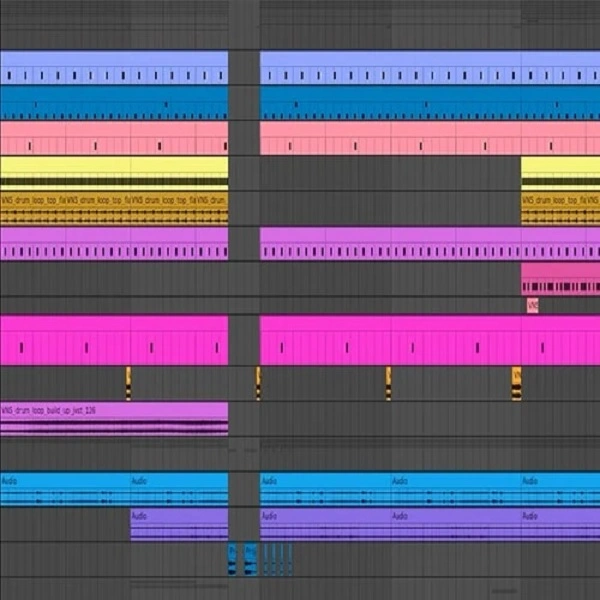
This template offers a detailed view of a fully arranged Tech House track, highlighting professional techniques in arrangement, sound design, mixing, and mastering.
The project includes: A complete Tech House track arranged in Ableton Live.
High-quality samples and loops from Keep It Sample's premium packs.
Layered synths and basslines for a rich, full sound. Pre-configured sidechain compression on relevant channels.
Organized project layout with color-coded tracks and labeled sections for easy use.
You need Ableton Live Suite 11 (11.01.12) or higher to open the project and the latest version of Xfer Serum.
Tips
- Customize Drum Patterns: The drum racks included in the template are a great starting point, but to make the track your own, try modifying the existing patterns or replacing some of the drum samples with your own. Experiment with different rhythms and percussive elements to add your unique touch.
- Tweak Synth Presets: The synths and basslines in the project are designed to fit well within a Tech House context. However, you can further personalize them by adjusting the parameters of the synth presets. Play around with filter cutoff, resonance, and envelope settings to create new textures and timbres.
- Utilize Automation: The project includes detailed automation for various parameters such as volume, filter cutoff, and effects. Study these automation lanes to understand how dynamic changes are achieved and try creating your own automation curves to add movement and interest to your track.
- Layer Sounds for Richness: Notice how the template uses layered sounds to create a fuller mix. You can enhance this by adding additional layers to the existing synths and basslines. For example, try layering a sub-bass underneath the main bassline or adding a high-frequency pluck to the main synth.
- Analyze the Mix: The mixdown in the template is balanced to provide a clear and punchy sound. Use this as a reference for your own mixing. Pay attention to how different elements are EQ'd and panned. Apply similar techniques to your own tracks to achieve a professional-sounding mix.