WT BEATS - SYTRUS TRAP PART 2
Key Features
- Heavy 808 bass preset delivers the deep sub-frequency punch essential to modern trap production
- Reese bass preset provides gritty, detuned low-end energy for dubstep and dark trap tracks
- Dual-purpose bell/pad preset works as a soft melodic bell or a lush sustained chord layer
- Dark pad and atmosphere presets create moody, cinematic soundscapes for tension-building sections
- Guitar pluck preset adds a percussive, rhythmic element to beats and melodic hooks
- String ensemble preset introduces orchestral texture without leaving FL Studio's native synth
- Voice FX and white noise presets cover transitions, build-ups, and unusual sound design moments
Description
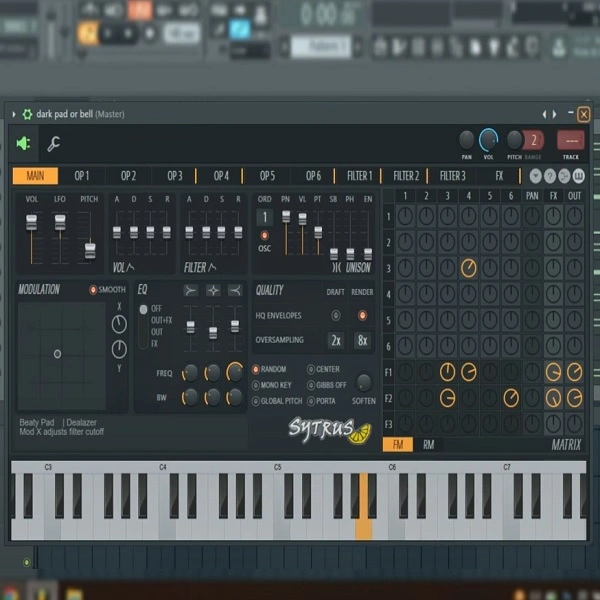
WT BEATS - SYTRUS TRAP PART 2 is a follow-up preset pack for FL Studio's Sytrus synthesizer, built specifically for trap and hip-hop producers. It expands on the first volume with a broader sonic palette spanning deep basses, dark atmospheric pads, guitar plucks, reese basses, string ensembles, and voice FX.
The heavy 808 bass preset delivers the deep sub-frequency punch that anchors modern trap production. The reese bass adds a gritty, detuned low-end layer that works well in darker, more aggressive sections.
Atmosphere and dark pad presets provide cinematic texture for intros, breakdowns, and tension-building moments. The guitar pluck preset introduces a rhythmic melodic element, while the string ensemble brings orchestral depth without leaving FL Studio's native environment.
The voice FX preset adds unusual textural character for unique production moments. A white noise preset covers build-ups, transitions, and layering — rounding out the pack as a complete toolkit for trap arrangement inside Sytrus.
Video Preview

Tips
- Layering Atmosphere and Pads: Use the atmosphere.fst and bell or pad.fst presets together to create a rich, layered background. This can add depth and complexity to your track, making it sound fuller and more immersive.
- Creating Tension with Dark Pads: Incorporate the dark pad or bell.fst preset in your breakdowns or intros to build tension. The dark, moody tone can set the stage for a powerful drop.
- Enhancing Rhythmic Elements with Guitar Plucks: Use the guitar pluck.fst preset to add rhythmic interest to your beats. Try layering it with your hi-hats or snares for a unique percussive effect.
- Boosting Low-End with Heavy 808s: The heavy 808.fst preset is crucial for that signature trap sound. Use it to anchor your track's low end, but be mindful of its volume to avoid overpowering other elements.
- Adding Texture with White Noise: The with white noise.fst preset can be used creatively to add texture and movement to your track. Try automating its volume or filter parameters during build-ups to create dynamic transitions.
Frequently Asked Questions
How do I install these presets in FL Studio?
Extract the ZIP file to your FL Studio presets folder, typically found at Documents/Image-Line/FL Studio/Presets/Plugins/Fruity/Sytrus. Open Sytrus in FL Studio, click the preset browser, and the FST files will appear in your library ready to load.
Do I need a specific version of FL Studio to use these presets?
These FST presets work with any version of FL Studio that includes Sytrus. Sytrus has been included in FL Studio since version 6 (Producer Edition and above), so most current installations will have no compatibility issues.
Can I edit these presets after loading them?
Yes — all Sytrus FST presets are fully editable once loaded. You can adjust operators, envelopes, filters, effects, and modulation parameters directly inside Sytrus. Saving a modified preset under a new name preserves the original.
Is Sytrus included with FL Studio or do I need to buy it separately?
Sytrus is bundled with FL Studio Producer Edition and higher. If you are on the Fruity Edition, you will need to upgrade or purchase Sytrus as a separate add-on from Image-Line to use these presets.