WT BEATS - SYTRUS TRAP
Key Features
- 10 trap-focused presets covering the essential sound categories: basses, leads, pads, and plucks
- Deep resonant bass presets tuned for the low-end impact that drives trap rhythm sections
- Lead presets voiced with presence and clarity to cut through layered, sample-heavy mixes
- Lush pad presets add ambient texture and dimension to verses, intros, and breakdowns
- Percussive pluck presets ideal for melodic hooks, arpeggios, and rhythmic stabs
- All presets designed natively in Sytrus — no third-party plugins or samples required
- Versatile enough for adjacent genres including R&B, reggaeton, and EDM crossover tracks
Description
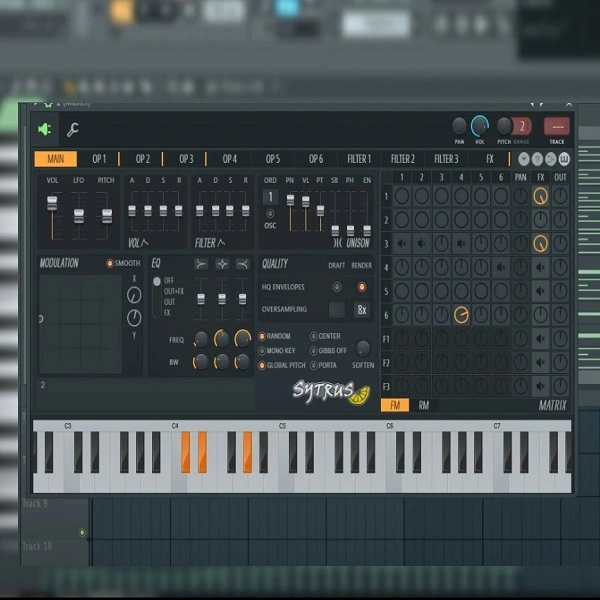
WT BEATS - SYTRUS TRAP is a 10-preset collection for FL Studio's Sytrus synthesizer focused on the core sounds of trap and hip-hop production. The pack covers deep basses, sharp leads, atmospheric pads, and percussive plucks — the foundational building blocks of modern trap beats, built entirely within Sytrus without any third-party plugins.
The bass presets are tuned for powerful, genre-defining low-end impact. They sit naturally alongside drum samples and 808 channels in FL Studio's mixer and can be pitched to match the root note of your session.
Lead presets are voiced to cut through dense, layered mixes with clarity and presence. Pad presets add ambient depth to verses, intros, and breakdowns without cluttering the midrange.
Pluck presets bring precise, percussive melodic detail well-suited for melodic hooks, arpeggios, and rhythmic stabs. Each of the 10 presets loads directly into Sytrus, making the pack immediately usable in any FL Studio session.
Video Preview

Tips
- Layering Bass Presets: Combine multiple bass presets to create a fuller, more complex low-end. Use one bass preset for the sub-bass frequencies and another for the mid-bass to give your tracks both depth and punch.
- Automating Lead Presets: Use Sytrus's automation features to add movement and dynamics to your lead presets. Automate parameters such as filter cutoff, resonance, and modulation to keep your leads interesting and evolving throughout the track.
- Enhancing Pads with Effects: Add reverb and delay to the pad presets to create a wider and more atmospheric sound. Experiment with different reverb settings to find the perfect balance between space and clarity.
- Using Plucks for Rhythmic Interest: Incorporate the pluck presets into your drum patterns to add rhythmic complexity. Sync the plucks with your hi-hats or snares to create intricate, syncopated rhythms that enhance the overall groove of your track.
- Sound Design with Modulation: Take advantage of Sytrus's extensive modulation options to customize the presets further. Experiment with different LFO shapes and rates to add unique modulation effects to the presets, making them stand out in your mix.
Frequently Asked Questions
How do I install Sytrus FST presets in FL Studio?
Unzip the download and place the FST files in your Sytrus presets directory, typically Documents/Image-Line/FL Studio/Presets/Plugins/Fruity/Sytrus. Open Sytrus in FL Studio and use the preset browser arrow to navigate to and load each file.
What FL Studio edition is needed to use Sytrus presets?
Sytrus is included with FL Studio Producer Edition and Signature Bundle. The Fruity Edition does not include Sytrus by default, but it can be added separately. All Editions of FL Studio can open projects that use Sytrus in preview mode.
Will these presets work in FL Studio on both Windows and Mac?
Yes. Sytrus is available on both Windows and macOS versions of FL Studio, and FST presets are cross-platform. The same preset files work on either operating system without conversion.
Can I layer these presets with my own samples or 808s?
These presets work naturally alongside drum samples and 808 channels in FL Studio. The bass presets are tuned for the low end and can be pitched to match your 808 root note. Pads and leads sit in their own frequency ranges and blend well with sample-based drums.